


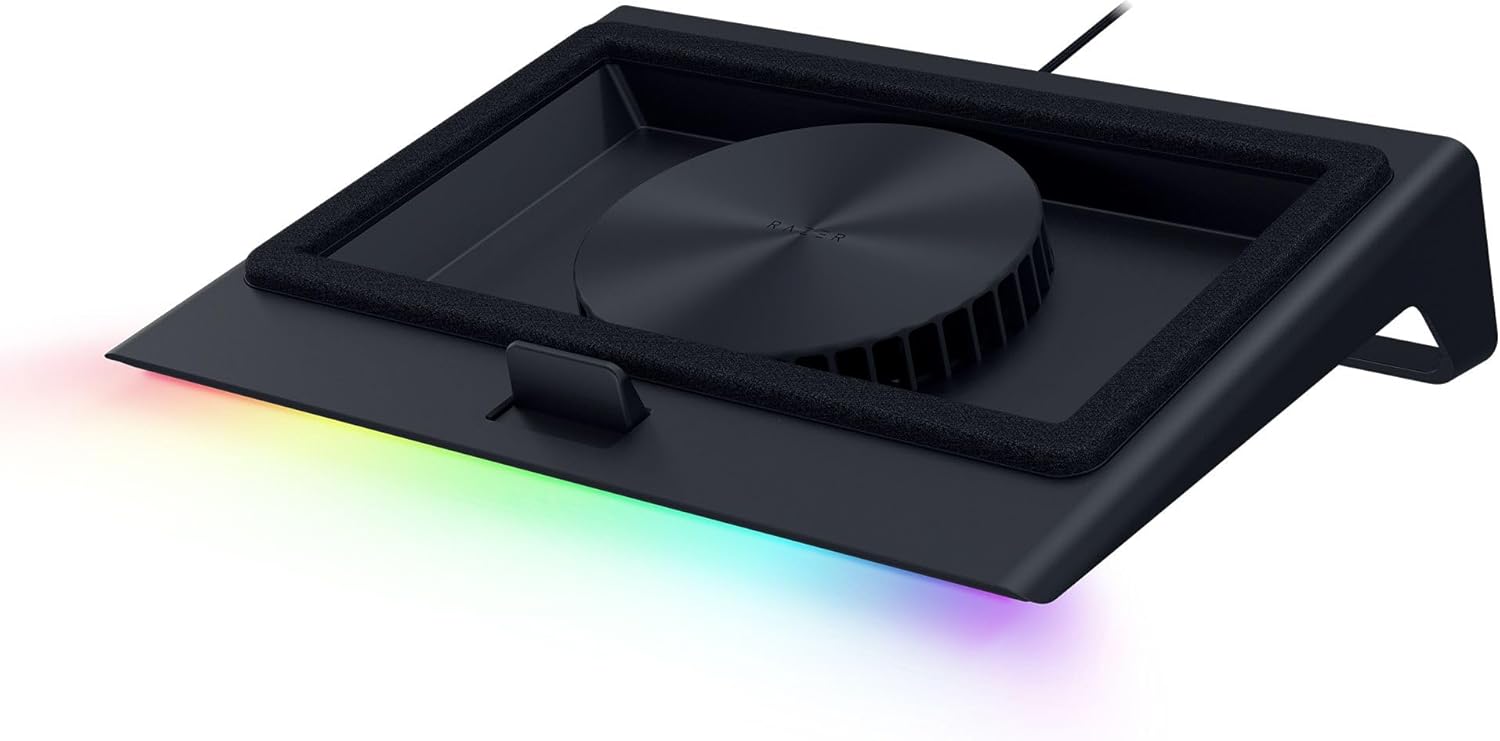
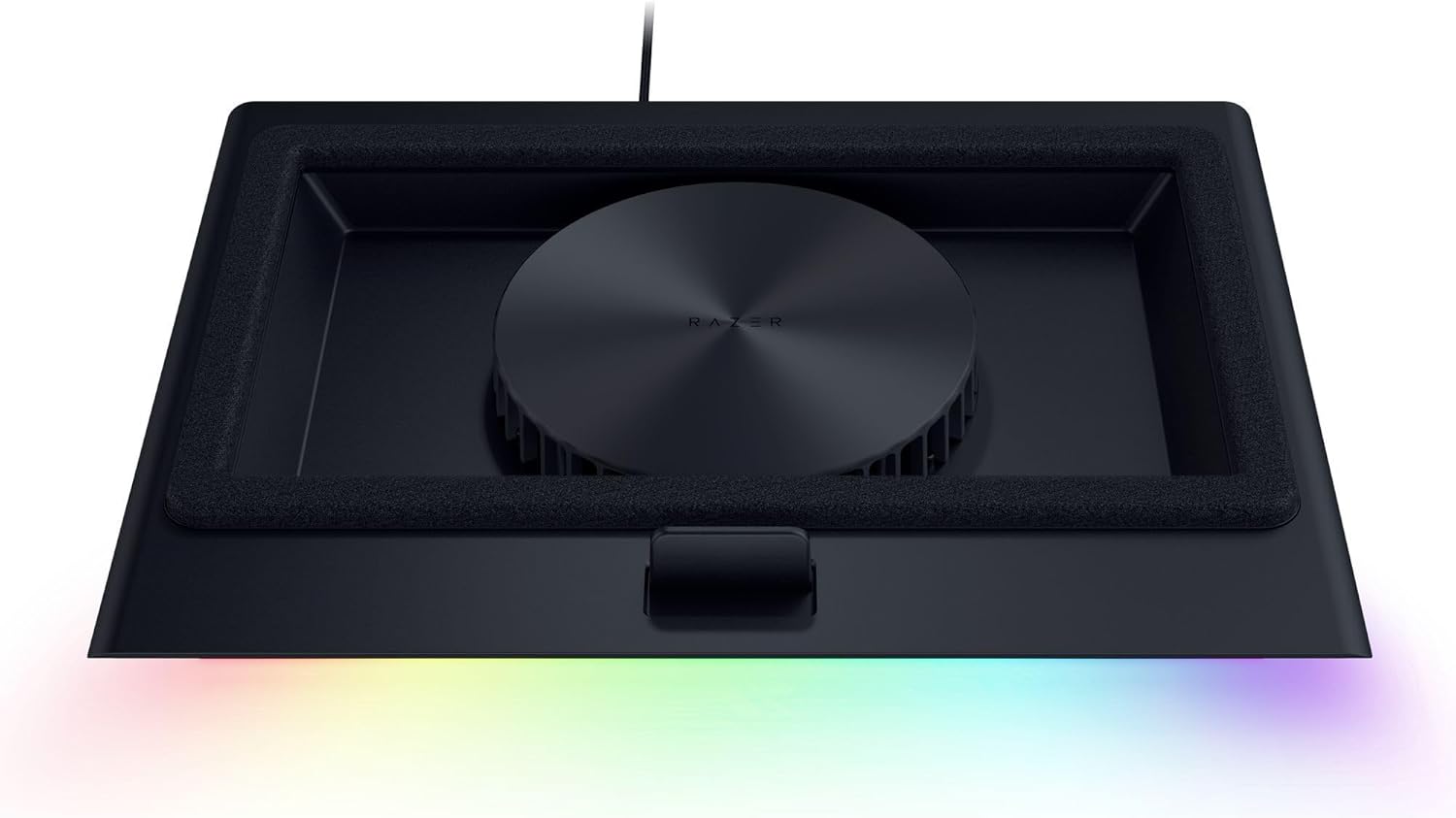



Razer Laptop Cooling Pad: Adaptive Smart – Intelligent Fan Control – Airtight Pressure Chamber – Fits Most Laptops & Macbooks 14” to 18″ – Preset & Custom Fan Curves – 3 Port USB Type A – Chroma RGB
Original price was: $149.99.$129.99Current price is: $129.99.
Price: $149.99 - $129.99
(as of Nov 03, 2025 21:58:47 UTC – Details)
Stay cool when things heat up with the Razer Laptop Cooling Pad – a smart stand that dynamically controls fan speeds based on your laptop’s temperature. Featuring an airtight pressure chamber, customizable fan curves, and a 3-port USB A hub for maximum connectivity, give your laptop the boost it needs to run at its best.
RAZER HYPERBOOST — Takes full advantage of the Razer Laptop Cooling Pad’s smart cooling capabilities to maximize the performance of compatible Blades by improving thermal performance that allows key laptop components to sustain higher power limits
SMART COOLING — From idle to full load, keep the laptop running smoothly with our first laptop cooling pad that changes fan speeds automatically to manage system temperatures based on the settings
AIRTIGHT PRESSURE CHAMBER — Included foam seals ensure no cool air leakage and works in tandem with a long lifespan 140 mm brushless fan that spins up to 3000 RPM to significantly reduce CPU, GPU, and surface temperatures
WORKS WITH MOST LAPTOPS — Whether you’ve got an ultra-portable 14″ laptop or an 18″ powerhouse, choose between three magnetic frames that maximize cool air pressure and circulation
PRESET & CUSTOM FAN CURVES — Keep the system cool in any scenario with our recommended presets or calibrate the fan to adjust for noise level or desired internal temperature via Razer Synapse
3-PORT USB TYPE A HUB — From webcams to controllers to drawing tablets, plug in more devices to the laptop without solely relying on its native USB ports
REMAPPABLE MULTI-FUNCTION BUTTONS — Make on-the-fly changes to the fan speed and Razer Chroma RGB lighting, or remap the button to adjust volume, launch apps, and more via Razer Synapse
2 YEAR MANUFACTURER WARRANTY — Have confidence in owning the Razer Cooling Pad with up to 2 years of warranty from Razer
Customers say
Customers find the cooling pad effective, noting it cools laptops by 15-20 degrees and drops GPU temperatures from 80°C, while also appreciating its powerful fan/airflow and rugged build. However, the functionality receives mixed feedback, with some saying it works amazingly well while others report it stopped working shortly after purchase. Moreover, the noise level is a concern as the medium fan speed is loud, and opinions on value for money are divided between those who find it worth the money and those who consider it overpriced. Additionally, build quality and compatibility receive mixed reviews, with some finding it ruggedly built while others say it’s lacking, and one customer noting it’s not optimal for laptop use.





Austin Lyons –
Cooling Beast
Before I purchased this cooling pad I had a cheap Chinese pad with four fans and zero software. I ran the Chinese pad on max all the time but it barely made a difference. There was nothing in the way of dust filtration in the Chinese pad.Razer has outdone themselves concerning the design of this cooling pad. The plastic is very sturdy and the stand is at a perfect angle. This cooling pad also doubles as a USB-A hub, with appropriate space for cables underneath the pad. The foam serves to insulate the underside of a laptop from dust, and there is dust filtration on the fan as well.While gaming this cooling pad offers significant performance gains. The fan will easily go up to full speed and generate a substantial amount of noise. I can hear this noise occasionally through headphones but it doesn’t bother me too much. The game soundtrack should cover up the fan noise as well.The software allows you to see temps, manually set the fan speed, set the fan to adaptive mode, and control the LED bar on the bottom of the pad. I use the fan on adaptive mode since it usually runs slowly enough that I cannot hear it or I have tuned it out. I have the LED set to Razer green, but you can easily turn it off. You can also use a plethora of LED modes like “breathe” or “rainbow”.Overall the cooling pad is worth the cost. Razer may have added a little “brand tax” but this cooling pad is reliably performant. There are cheaper cooling pads from China that serve the same purpose, but they do not usually offer the gains this pad delivers. The build quality is also lacking in many of the cheaper options.
Joel W –
High-performance Laptop Cooler at a High Price
I bought the Razer Laptop Cooling Pad to replace an aged-and-dying Enermax cooler (single 8-inch fan) that could no longer effectively cool my Origin PC EON16-X laptop (16″, Intel i9 14900HX, NVIDIA RTX 4090).Setup was very simple for me. The laptop fits well on the pre-installed frame. I already use Razer Chroma and Razer Synapse for my Basilisk mouse, and I didn’t have to do anything to get the softwares to detect and manage the laptop cooler. I leave the fan set on the lowest speed, allowing the software the adjust the fan speed based on system temps.Pros:- First, it’s a great cooler. System temps are around 10ºC lower under load than using my older cooler.- Simple set-up process, especially if you already use Razer peripherals and their associated software.- 3 included frames to accommodate laptops of different sizes and vent placements. Frames are very easy to change since they use magnets: simply pull one off and stick on another to fit your laptop.- 3 powered USB-A ports on the back.- Cleanable air filter helps keep your laptop innards from getting quite as dirty.- As with all new peripherals these days, there are lights. You can press a button to cycle through some preset options, or use Razer Chroma to set your preferred color(s) and effect.Cons:- The fan can be absurdly loud. For those of us who game without headphones, it’s a major distraction to have the fan on higher speed settings. Medium speed is annoying but tolerable, and High speed is around the noise level of a loud vacuum cleaner in the next room.- The cooler has a plastic frame. At this price, it probably could be aluminum. Still, the plastic is strong and sturdy and I have no doubts it will hold up in function and form.- The price is significantly more than other high-performance coolers, but they don’t have the Razer name included.- The power cord is about 5 feet long, and the brick (wallwart) is rather large. My desk’s power strip couldn’t fit it, so I had to run it to the wall, which is a stretch.Playing high-resource games would generally have my system getting very hot, into the dangerous nearly-100ºC range. Below are temps measured by GPU-Z and Core Temp, with the cooler running variable fan speed managed by Synapse.GPU: RTX 4090- Idle temp ~38ºC- Load temp ~69-70ºC at 98% load, 76ºC Hot Spot, 88ºC Memory TempCPU: i9 14900HX- Idle temps vary from 35-44ºC depending on core- Load temps 70-83ºC, spiking at 75-97ºC depending on core
Brian T. Clem –
Does this justify the price when you can get something way cheaper?
I have a cheaper, generic laptop cooler that works very well and cost $120 cheaper. Lots of fans and you can run it at low speed. It works….. But there was no way to turn the rgb lights off. I am not at a dance club…. I am trying to focus on being productive. That is what led me to the razer version of a laptop cooler.1. It’s solid. I love how well it is built.2. Good seal to pull out hot air. It works amazingly well. I only need to run it on speed 1 of 3.3. Speeds 2 and 3 are loud and very loud. If music is playing it’s no concern. Guess it’s good to have it if you need it.4. I keep the leds either off or razer green.5. I have the new razer blade 18 2025 with 5080. It keeps it very cool (gpu) when rendering. I think it gets up to 44°C once but that was rendered so fast I didn’t really get to test it out.Verdict : if you need something to cool your system, this will do it very well. It’s expensive. But it works well and the design is better than others I have used.
Charles Butler –
Not a great value but still a pretty good product.
It is pretty cool that my Razer laptop recognizes this cooling pad and unlocks a higher level of performance because it knows that it has additional cooling capacity. The Razer Synapse app is hit or miss depending on your system up-time but the extra USB ports, Razer Chroma compatibility, and the factory approved overclocking are a definite perk. With all that being said, I don’t know that it is worth the money. You can find quieter cooling pads that move more air and still have the USB hub built-in for almost 75% less but you lose out on the Razer Synapse settings control, Chroma compatibility, and factory overclock option. It really all depends on your priorities and preferences. If you are focused on value and functionality, look elsewhere. If you like to have matching peripherals that you can control from the same program/ecosystem and want to add to your sticker green sticker collection, then this is what you want.
Andrew –
Great product, bad software
Great design, good build quality. It definitely keeps my computer cooler than just sitting on a desk. It can be quite loud when on max settings but it does its job. The added benefit of the hub is great as well, with wire management having it in the back. The only downside is Razer Synapse, per usual, sometimes the device just disappears, and I have to plug it in again to remind it.
Ahmed Fawzi –
“I’m extremely impressed with the Razer laptop cooling solution! It’s sleek, well-designed, and highly effective at keeping my laptop cool during intense gaming or heavy workloads. The build quality is outstanding, and the cooling performance has noticeably improved my laptop’s efficiency and comfort. Highly recommend this for anyone looking to protect their device and enhance performance!”
Krf –
Probably one of the best laptop coolers on the market. Works way better then my budget cooler and I found it worth the extra cost to be able to see my own CPU/GPU temps through Razer Synapse on top of being able to control the RPM of my fan when I want to. Also Synapse allows you to control your RBG as well unlike other budget coolers. The extra cost also factors in on the fact there’s 3 extra USB ports on the cooler if you need it (I did for my laptop).My only complaint is that the fan can be loud under heavy load. You can turn it down if the noise is a problem, but personally I want the extra power to keep my laptop cool and I can’t hear the sound through my headphones anyways so it’s not a problem for me at all.
Jim –
El mayor inconveniente que tiene es el precio, aunque después de validar sus características se observa que está basado en la funcionalidad que ofrece, todo es configurable a través de su software razer synapse, se pueden crear curvas personalizadas (por temperatura o RPM) y asignárselas a juegos según se requiera el nivel de enfriamiento. Se puede modificar el RGB, incluso se le puede agregar otra funcionalidad diferente a los botones de RGB y RPM de la base, respecto al apagado se sincroniza con la laptop y cuando esta se apaga el ventilador entra en reposo, lo mismo en el encendido, el ventilador toma la última configuración de RPM para funcionar.La construcción es de muy buena calidad e incluye 3 marcos magnéticos para usar según las dimensiones de la laptop, el cable de alimentación para consumo de 36w (muy buen consumo de energía)Respecto al funcionamiento, el ventilador tiene un mínimo de 500 RPM y puede llegar hasta los 3200 RPM, lo cual ofrece un buen nivel de enfriamiento, aunque también a mayores revoluciones incrementa el ruido generado (haciendo pruebas el nivel aceptable de ruido es con 1700 RMP, en adelante se recomienda usar audífonos).A nivel personal observo que favorece más al lado derecho de la laptop manteniendo una temperatura no mayor a los 70 grados en la gráfica usándola al 100% en juegos de alto rendimiento y al procesador en ocasiones no le ha llegado a impactar. Otro de los factores que se debe considerar es el uso de los marcos herméticos para poder concentrar el mayor posible aire fresco, con el marco liso el aire se escapa y la laptop no recupera el aire suficiente para enfriar.finalmente, el hub de 3 puerto UBS es muy bueno y mínimo cubre el puerto USB de la laptop que se estaría ocupando.Si bien puede tener algunos detalles a mi consideración y al momento es la mejor base que se puede llegar a adquirir, las configuraciones que se pueden realizar, la potencia y el mantener mi laptop en las condiciones adecuadas de funcionamiento es lo que le otorgar valor a la base.
timeout187 –
I got the Razer Laptop Cooling Pad: Adaptive Smart, and honestly, it’s one of the best cooling pads out there. The intelligent fan control and airtight pressure chamber make a huge difference, keeping my laptop much cooler even under heavy loads. The preset & custom fan curves are a great feature, allowing for precise cooling adjustments. Plus, the RGB lighting adds that classic Razer touch.That said, I did have to pay import fees, which bumped the price to $250, making it quite expensive. But considering the build quality, performance, and extra USB ports, I’d say it’s still worth the investment if you need serious cooling. If you’re a gamer, content creator, or heavy laptop user, this cooling pad does the job perfectly!
Jefferson –
its effectively cooling my G14 laptop…. good to have this cooling pad..