



Laptop Cooling Pad, Gaming Laptop Cooler with 10 Quiet Fans, Height Adjustable Laptop Cooling Stand for 12″-17″ Laptops, RGB Lights with Laptop Fan with 2 USB Port and Phone Stand
$25.99
Price: $25.99
(as of Nov 05, 2025 03:47:09 UTC – Details)
Product description
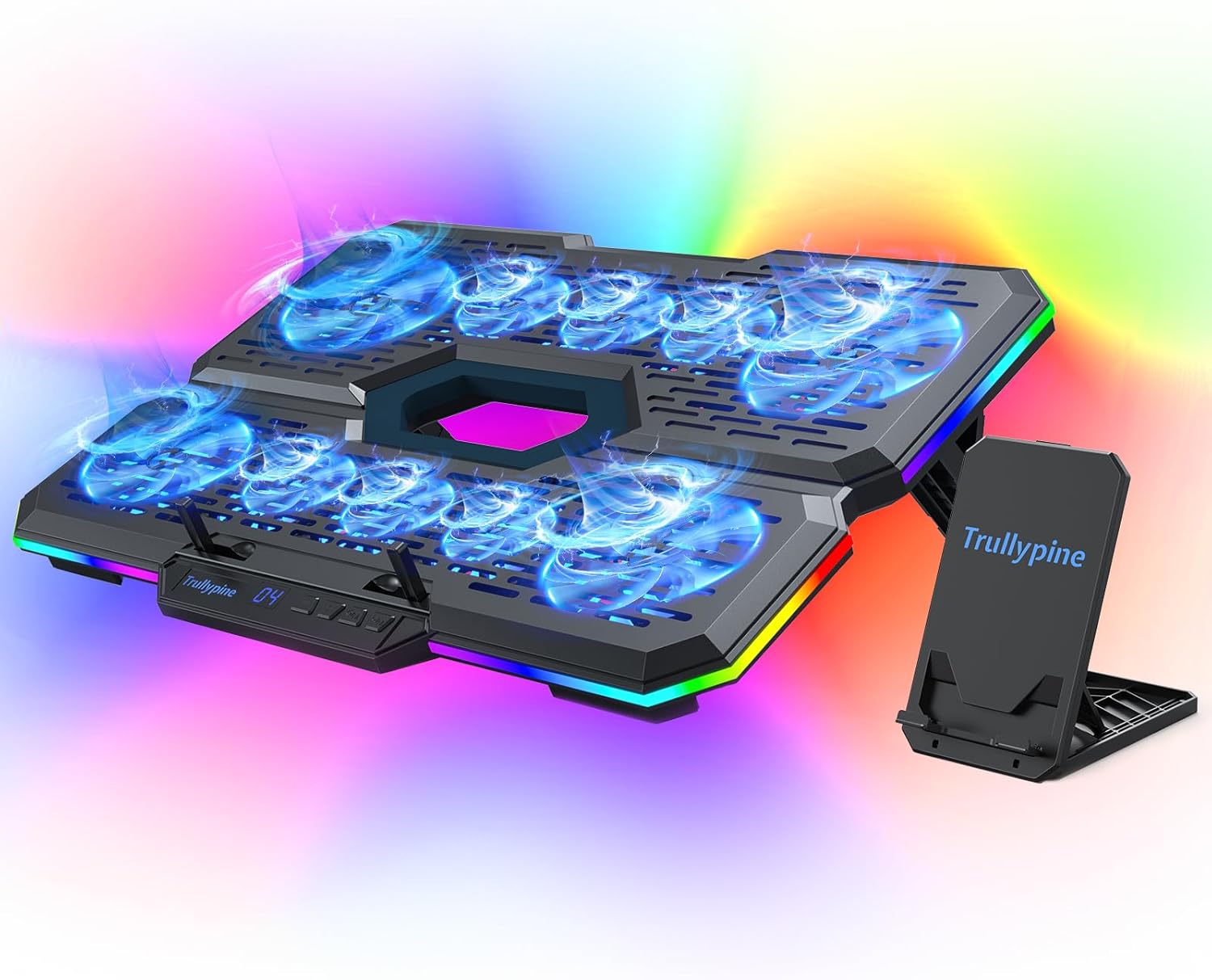
【RGB Lights 5 Effect Modes】This laptop fan cooling pad is designed with an RGB light strip. There are 7 colors and 5 modes available for you to switch between. You can easily control the RGB lights and fan speed by touching the buttons. The cool RGB color changes become the emotional bond of the game world, igniting the players’ passion and enthusiasm with the changes of light and shadow.
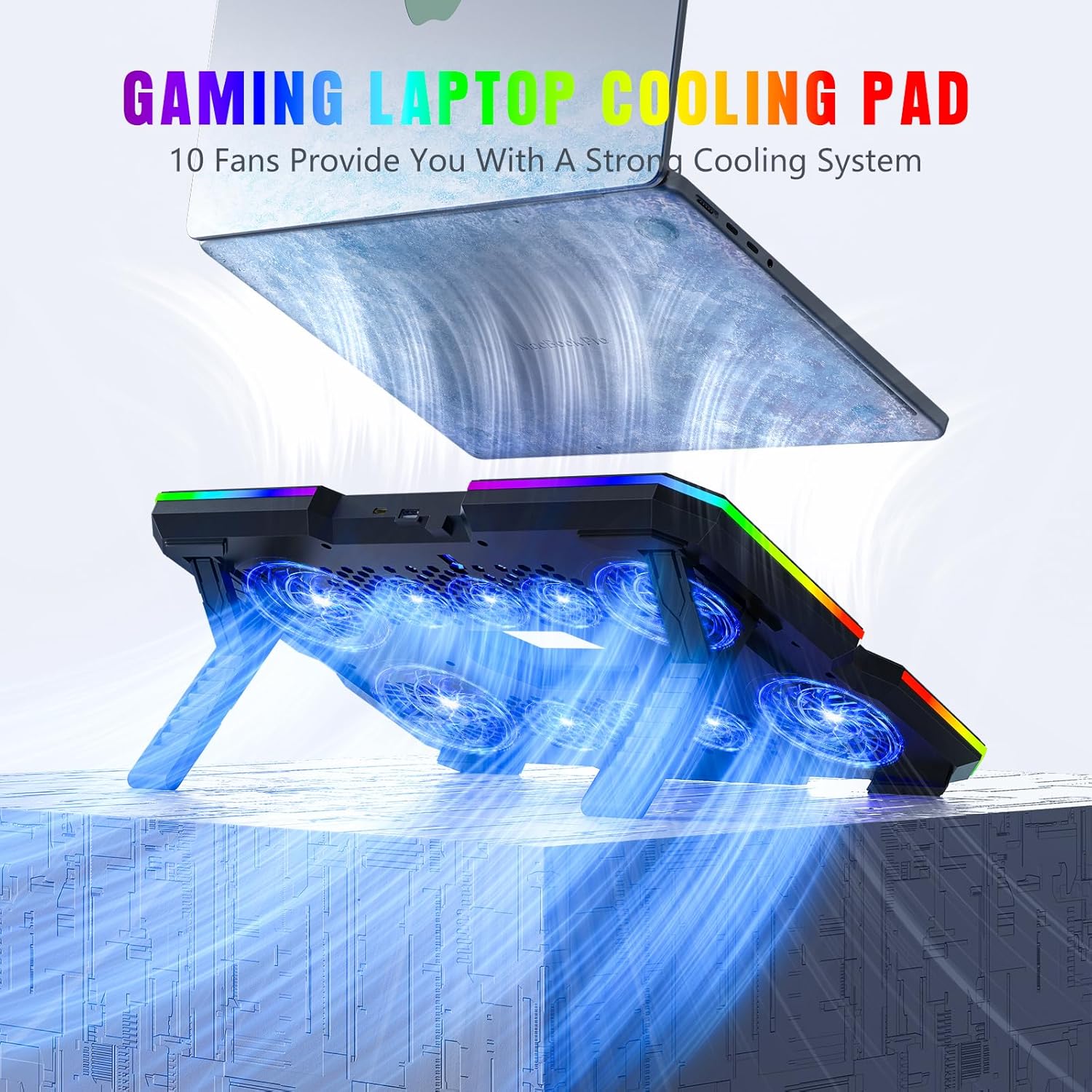
【10 Dual High-Speed Cooling Fans & Phone Stand】Trullypine laptop cooling pad can effectively cool down your laptop with 4 large cooling fans and 6 small cooling fans. The fan switch and the wind intensity of the fans can be controlled by buttons of 5 speed settings. It is an ideal companion for long gaming sessions or video editing, Effectively prevent overheating and lag. It also comes with a phone stand with 4 adjustable angles.
【Durable ABS Material & Ergonomic Design】This laptop cooler is crafted from high-quality ABS material, which is heat-resistant and wear-resistant, offering long – term cooling support for your device. At the bottom, there are 7 – level adjustable height supports. You can adjust it to the most comfortable angle whether you’re watching movies, working, or gaming. Keep you away from shoulder and neck pain.
【2 USB Port & LED Display】With a built-in dual USB hub, One USB A port and one Type C port. The laptop fan pad enables you to connect additional USB devices to your laptop, providing extra connectivity options for your peripherals. You can connect a keyboard, mouse, or mobile hard disk, etc. This cooler also comes with an LED screen, which can display the fan speed settings, allowing you to control the wind intensity as you wish.
【Compatibility & Support】This laptop cooling stand features two anti – slip devices at the front, which can effectively prevent your laptop from sliding off. With its large panel design, it is compatible with laptops ranging from 12 to 17 inches, including those from Apple, HP, Lenovo, Samsung, Dell. Moreover, it can also be used with iPads, routers, and gaming consoles like PS4/PS5. It makes a great gift for friends, brothers, colleagues, family members, and dads. We promise to provide reliable 12-hour response service. At Trullypine, zero risk purchase is for every customer’s smiles.






francisco urena –
Abanico bueno
Trabaj bien ast ahora solo que es muy grueso
Anon –
Very silent, but a little bit bulky design
The only reason this item didn’t get a full five stars were for the minor ergonomic issues and the price points for the value of the item, but overall I will say that this is a functional and very silent fan stand.Firstly I noticed it had a very plastic odor upon opening the bag which goes away after a couple hours of use but it does make me wonder about the quality of the plastic itself. The lights are nice and colorful, but I like to keep them off because it just adds unnecessary heat even as an LED just because there are so many LEDs in use. I underestimated the size and was surprised at how absolutely huge this stand is and maybe too big for a 15 in smaller laptop or if you’re thinking of using it for a drawing tablet, it might also be too big. It certainly takes up a lot of table space, however it’s necessary for how many fans they managed to put in it.I was surprised at the silence of the fans even in the highest level with all fans running, it barely had so much as a whisper. In my video you can actually hear my oscillating fan louder than the fans of the stand.Onto a few minor ergonomic complaints. The little pop up arms at the bottom of the stand are pretty intrusive especially if you have a very slim laptop. They stick straight up like little poles, and they’re is no adjustment other than having them open or closed. I tend to prefer a smaller lip that runs along the edge of a tablet stand then the arms for durability. Speaking of durability, overall it’s a little bit flimsy for the size that it is. It is lightweight which is a good thing, but it definitely feels lightweight which brings me to my next point.I think for what you’re paying you might be able to get a better stand, however this one is pretty efficient for cooling. The design with a hole in the center is nice as it gives the hot air somewhere to go other than dispersing around the bottom of the laptop.The phone stand is cute but unnecessary, but I certainly don’t mind it. I have to say that overall, I like that this is quiet and efficient, but I don’t like how bulky and a little bit flimsy it is for the price. You could definitely do worse, but you could also do better by spending a little bit more for a higher quality one. However for most people’s uses who aren’t doing all day video gaming streams on their laptop, this does the job wonderfully.
M & M –
Very good investment.
It works perfectly, providing good fresh air circulation for your laptop. It has different fan speeds and color schemes. The noise level is medium and not bothersome.
Tommy V –
Looks great. Runs smooth and quiet
It was well-packaged. The led lighting and clean exterior surface of this cooling pad is nice and well-made. It’s only been about a week of everyday usage (for my work laptop), and it’s been great. I keep it at a low fan speed setting of 2 (sometimes 3). I also appreciate how quiet it is (I haven’t ran the highest speed yet). I hope it’ll last a long time!
karencrnp –
Excellent fan
I love this fan. It actually cools the computer and I love the colored lights that surround the fan. I also like the fact that it is a stand also.
Amazon Customer –
Doesn’t lower temperatures when gaming
I picked up this laptop cooler in hopes of lowering the temps on my Zephyrus G14 (5070Ti) during gaming sessions. Unfortunately, it didn’t make any difference. I ran a benchmark test that pushes the hardware to 100%, and tested both with and without the cooler on two separate days to keep things consistent. Both times, the GPU hit the exact same temperature: 83.19°C. So, in terms of thermal performance under heavy load, it didn’t help at all.Although there are a few things I do like about it. It’s surprisingly quiet, even on the highest fan setting, though that might explain why it doesn’t help much under while gaming. The LEDs look nice due to the built in diffuser, and while there aren’t a ton of lighting options, you can turn them off completely if that’s more your style. If you’re doing light to moderate tasks and want to use your laptop on your lap, this cooler helps keep airflow unobstructed by your legs. Also being able to power it directly through your laptop’s USB port instead of needing a wall plug is a nice and convenient.Overall, if you’re looking for something to keep your laptop temps lower while gaming, this probably won’t do the job. But for everyday task or using your laptop on your lap, it’s not a bad option and seems like decent value at the sale price ($23.99).
Jessica Lee-Beckwith –
Solid Cooling Performance with Flashy RGB, but the Feet Need Work
I’ve been using this gaming laptop stand for a bit now, and overall, it does what it promises. The size is perfect for my 17″ laptop, giving it plenty of breathing room, and the RGB lighting adds a nice visual touch without being over-the-top. It’s got a cool vibe that fits right into my gaming setup.The cooling fans are quiet and effective, and I appreciate the adjustable height options. That said, the feet design feels like a weak link. They’re a bit flimsy and don’t inspire much confidence when adjusting or moving the stand. It hasn’t failed me yet, but I’d love to see a sturdier base in future versions.If you’re looking for a flashy, functional cooling pad that fits larger laptops, this one’s worth considering; just be mindful of the feet if you plan to reposition it often.
Syeira –
Good
I like the buttons are on the front
GHEORGHE MUNTEANU –
C’est magnifique, ça fonctionne très bien, nous sommes très satisfaits.
Stefan –
Ich teste als Vine-Tester zwar Produkte kostenlos, aber ich bin mit vollem Herzen dabei. Und ich versuche immer, mich in die Lage eines normalen Käufers zu versetzen – gar nicht so schwer, wenn man ehrlich ist. Wer mehr über meine Bewertungsphilosophie wissen möchte: Einfach mein Amazon-Profil besuchen.📦 Erster Eindruck & VerpackungDer Trullypine Laptop-Kühler kam sicher verpackt in einem stabilen Umkarton an. Optisch macht er einen wertigen und soliden Eindruck: Schwarz, aus robustem Kunststoff gefertigt, sauber verarbeitet. Die Bedienungsanleitung liegt zwar nur auf Englisch bei, ist aber leicht verständlich.🎛 Bedienung & FunktionenDie Handhabung ist simpel: Über einen USB-A-Anschluss (passendes USB-A-auf-USB-C-Kabel liegt bei) wird der Kühler mit Strom versorgt. Die Neigung lässt sich in mehreren Stufen einstellen. Highlight: die RGB-Beleuchtung – in verschiedenen Modi einstellbar oder bei Bedarf komplett abschaltbar.🚀 Technik & PraxistestDas Herzstück: 10 Lüfter (ja, zehn!) in 4 Leistungsstufen. Trotz der Menge arbeiten sie angenehm leise – deutlich leiser als die internen Lüfter meines Acer Nitro V16. Der Kühler ist laut Hersteller für Laptops bis 17 Zoll geeignet, bei meinem 16-Zoll-Gerät wirkt er jedoch schon knapp bemessen – hier lohnt sich ein Blick auf die Maße.Im Praxistest hat mich die Kühlleistung beeindruckt:Ohne Kühler: GPU 71 °C, CPU 75 °CMit Kühler (volle Stufe): GPU 60 °C, CPU 65 °CDas sind satte 10 Grad weniger – spürbar sowohl in der Performance als auch an der Handauflage.🏆 Das gewisse ExtraDie Kombination aus starker Kühlleistung und flüsterleisem Betrieb ist hier wirklich gelungen – oft ist bei Kühlpads das eine oder das andere besser, aber selten beides.➕ Plus & ➖ Minus➕ Effektive Kühlung (bis zu -10 °C)➕ Sehr leise Lüfter➕ RGB-Beleuchtung abschaltbar➕ Höhenverstellbar und einfach zu bedienen➖ Für 16-Zoll-Notebooks schon relativ knapp in der Größe➖ Anleitung nur auf Englisch⭐ FazitFür Gamer und Power-User, die Wert auf eine ruhige, aber starke Kühlung legen, ist der Trullypine Laptop-Kühler eine klare Empfehlung. Bei mir hat er die Temperaturen spürbar gesenkt und dabei angenehm leise gearbeitet.⭐⭐⭐⭐⭐ – volle Punktzahl für Leistung und Komfort, kleiner Abzug nur bei der Größe.
Kunde –
❇️ FAZIT ❇️Das Pad senkt die Temperatur unter Last deutlich, die Geräusche auf Mittelstufe sind ok, die Steuerung ist simpel, die Beleuchtung lässt sich vollständig abschalten.⚠️ NACHTEILE ⚠️1. Auf hoher Stufe hörbar in ruhigen Räumen.2. Vordere Anschläge stören bei sehr flachen Gehäusen an den Handballen.3. Mitgeliefertes Kabel ist kurz, Kabelweg auf dem Tisch wird fummelig.4. Beleuchtung lenkt im Dunkeln ab, nutzte sie selten.5. Luftstrom trifft nicht bei jedem Modell genau die Ansaugöffnungen, Wirkung fällt dann geringer aus.🎛️ BEDIENUNG 🎛️Tasten reagieren direkt, Stufen und Licht werden per Tipp eingesgtellt. Das Display ist aus normaler Sitzposition gut ablesbar. Die Bedinung bleibt logisch, auch wenn man oft zwischen Profilen wechselt.❄️ KÜHLUNG ❄️Der Luftstrom verteilt sich gleichmäßig.. Unter Spielelast und Renderjobs sinken die Temperaturen spürbar, Throttling tritt seltener auf. bei leichten Aufgaben ist der Unterschied klein, der Effekt zeigt sich vor allem in Spitzenlast. Mit angehobener Rückkante war die Kühlung am stabilsten, die Öffnungen blieben frei. Bei dauerhaft belasstet hoher Drehzahl bleibt die Geräuschkulisse kontrollierbar, Vibrationen traten keine auf.🧩 ERGONOMIE 🧩Mehrere Neigungswinkel entlasten Nacken und Schultern, längere Sessions fallen angenehmer aus. Gummiauflagen halten sicher auf glatten Oberflächen, Rutschen hatte ich keines. der Handyhalter ist praktisch für Benachrichtigungen neben dem Bildschirm, Transport bleibt dank geringem Gewicht unkompliziert.
SomeDude –
This is a nice laptop stand/cooler. Because it is a cooler, it raises the keyboard more than if it were a very basic tilt stand. Despite the demo video showing the use of the little legs at the bottom to hold your laptop in place, I found that when using the lowest angle, I didn’t need to use them, the rubber feet on my laptop was able to hold on to the stand just fine without sliding down. If you need to, you can adjust the height of the little legs when opening them up so that they aren’t fully extended and blocking the way. This way it can still perform its function without getting of the way of using the keyboard or touchpad. It is a basic hard piece of plastic, so there aren’t any rubberized surfaces to grip onto your laptop.I tested the cooling function, and the lower speeds didn’t seem to do anything for me, at 00 and 01. Turning on the fans, it starts at 00, in which only the outer 4 fans turn on, turning it up to speed 01, the inner fans turn on. There’s no ability to selectively turn on the inner fans vs the outer fans as it is only controlled via the speed settings. Cranking it up to speed 4 really cooled off my laptop though as my CPU cores dropped 10°C when I did that. The fans are pretty quiet on the lower settings, but they are audible at the highest setting. Not particularly loud though.The light switch toggle just changes 2 different modes, one where multicolored lights rotate around the stand at 3 different speeds, and then there is another mode in which the light changes color via fading, one mode fades completely to black before changing color, and another mode just changes color without fading to black. I guess there is one more mode, which is with the lights off. Long press the light button to turn it off. When you turn it back on, it will resume the mode that was last on.The height adjustment is relatively easy to change, as you just slide the foot up a bit on the part which actual makes contact with the table. That part has rubberized feet at the tip to prevent the stand from sliding around. The front of the unit has no rubberized feet, instead it makes use of a stiff foam which has no grip. It provides padding, but that’s it. It doesn’t do anything to prevent the stand from sliding around. It is entirely reliant on the two rubberized feet in the back to do that.The unit is powered by either the USB-A or USB-C ports on the back of the unit. The stand comes with a USB-A to USB-A cable to power it, which is nice as people with older laptops will primarily have USB-A ports. I tested the USB-C port by connecting a power bank to the port to see if it would power the unit, and it did.The phone stand is ok. It has a firm foam pad for the phone to sit on, but it uses the same foam pads on the back to prevent it from sliding, however the front pad doesn’t even make contact with the surface so it doesn’t do anything, and the stiff foam pads don’t work as well as a rubberized foot would, so it ends up sliding all over the place. The fact that it’s lightweight makes it even easier to slide everywhere. It’s just good for holding the phone, not using the phone on the stand.Wishlist:- I really wish there was a light mode which allowed you to just choose one color and just leave it on. All of the various modes have the colors cycling.- I wish there was a mode which only turned on the central fans, the fans which are most useful since for smaller laptops, those are the fans you’ll need. Turning on the outer fans first and then turning on the inner ones makes no sense to me at all, it should be the other way around.
Alex –
My hp laptop has been very reliable but does tend to run hot when video editing especially if other applications are open at the same time. The old hp has had some upgrades over the years and still has coolsense installed and operational, but every time coolsense steps up the fan speed when video editing the hp really starts to slow up. Looking around forums and such to get some advice on the slowing up issue didn’t really help, some folk insisted their hp ran hotter with coolsense installed and removed it while others reported the opposite.My reasoning behind getting this Trullypine laptop cooling pad was that I could keep the coolsense installed just in case removing it altered/affected something elsewhere on the hp and the cooling pad would keep the hp temperature much lower resulting in the coolsense not being called on by the temperature sensor/s.I have been really impressed with the difference the Trullypad has made to the hp operating temperature during video editing, with the cooling pad fan speed idling away on a slow (#1) setting the hp remains cool and operation speed stays high. The laptops own fan speed stays very low and coolsense does not appear to kick in at all with the hp sat on the idling cooling pad.The Trullypine cooling pad has been a great help in keeping my rather old and over-worked hp in the game, it runs a whole lot cooler and processing speeds never seem to drop to an abnormally slow rate.A very impressed five stars for this cooling pad, it has great build quality, is very well priced, and most importantly it works brilliantly.