


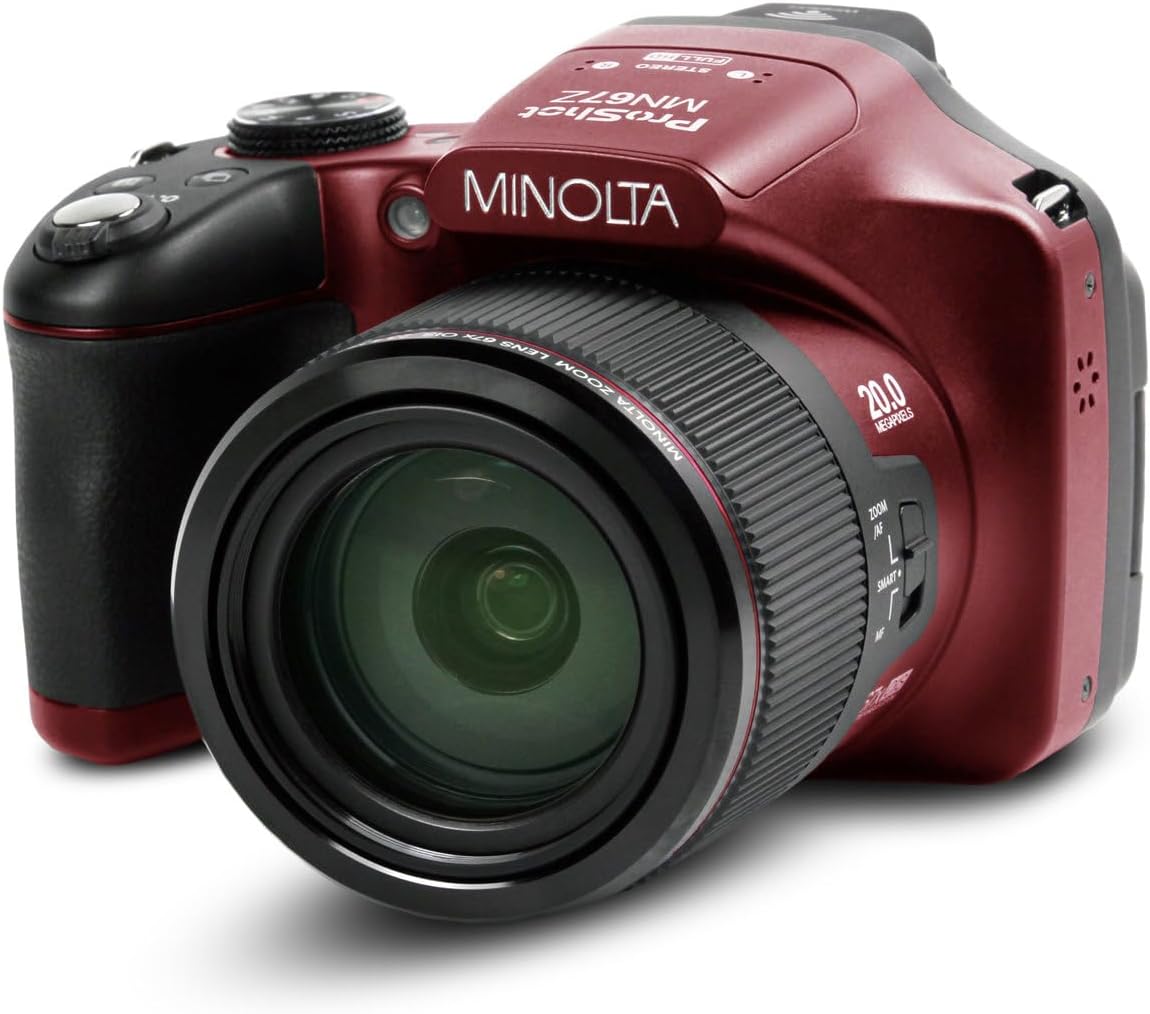
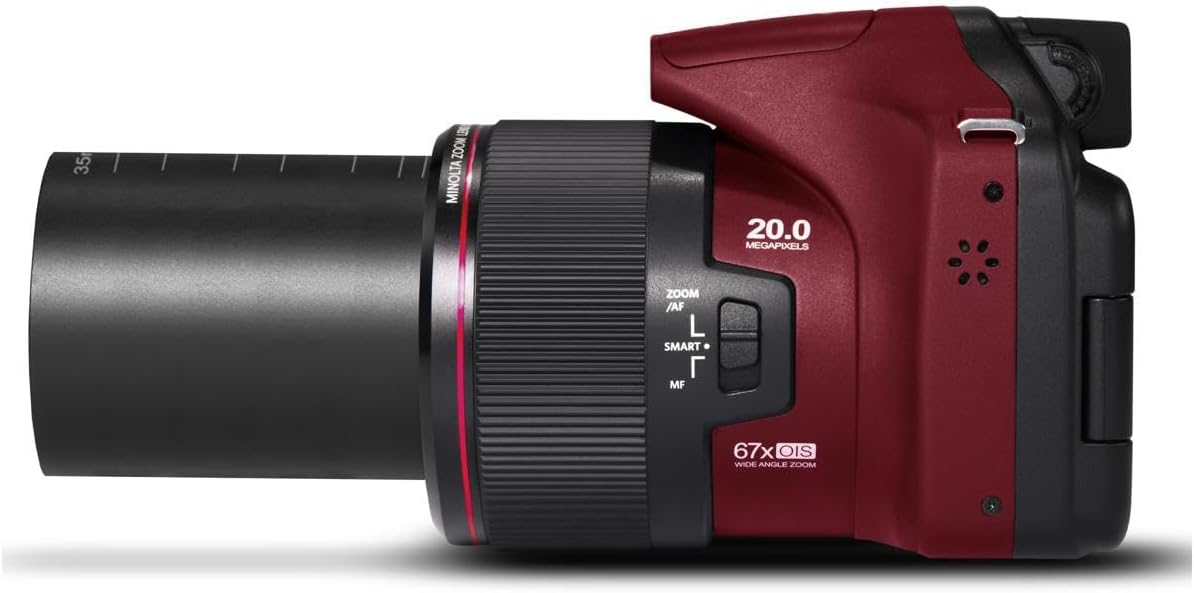


Minolta Pro Shot 20MP Digital Camera – 67x Optical Zoom, Full 1080p HD Video, Optical Image Stabilization, Wi-Fi, 3-inch Articulating LCD Screen, 27 Scene Modes – Includes 16GB SD Card (Red)
$399.00
Price: $45.99 - $399.00
(as of Nov 05, 2025 11:29:01 UTC – Details)
Experience the perfect blend of power, precision, and portability with the Minolta Pro Shot 20MP Digital Camera. Engineered to meet the needs of both beginners and advanced users, this compact bridge camera captures every moment in sharp 20-megapixel resolution and crystal-clear 1080p HD video. At the heart of the Pro Shot is a CMOS image sensor paired with optical image stabilization, ensuring reduced blur and consistently crisp results—even in low light or handheld situations. The 67x optical zoom lens with autofocus brings distant subjects into perfect focus, from wildlife to stadium action shots, all while maintaining detail and color accuracy. With 27 intelligent scene modes, the camera adjusts settings automatically to suit your shooting environment—whether you’re at a party, under fireworks, or snapping close-up macros. Features like face, smile, and blink detection, HDR, red-eye reduction, and 360° panorama mode give you creative flexibility at your fingertips. View and compose shots using the high-resolution 3.0″ articulating LCD screen, which tilts to help you get the perfect angle in any setting. Wi-Fi integration lets you instantly share photos and videos or control the camera remotely via the Minolta ProShot app, making it easy to stay connected on the go. Included in the box is a 16GB SD card, so you’re ready to capture and store memories right away. Whether you’re a content creator, traveler, or hobbyist, the Minolta Pro Shot offers professional features in a user-friendly package—delivering brilliant results every time you press the shutter.
HIGH-RESOLUTION 20MP PHOTOS: Capture crisp, detailed stills ideal for enlarging or cropping. Optical image stabilization minimizes blur from hand movement or vibration for consistently sharp images.
67X OPTICAL ZOOM WITH AUTOFOCUS: Get close to the action with precision—advanced autofocus and stabilization ensure clarity across the entire zoom range, from wide-angle to extreme telephoto.
STUNNING FULL HD 1080P VIDEO: Record smooth, wide-format video in 1080p resolution at 30fps. Ideal for vlogs, events, and travel footage with vibrant detail and color.
ARTICULATING LCD SCREEN: Easily frame shots and review content on the high-resolution 920k LCD display. Built-in Wi-Fi and app support allow wireless transfer and remote camera control.
SMART FEATURES: From portraits to night shots, fireworks to panoramas, intelligent modes auto-optimize settings for pro-level results in any condition—plus face, smile, and blink detection.
Customers say
Customers find this digital camera to be a great starter model with fantastic optical zoom and many features, considering it an amazing value for the money. The camera is incredibly easy to use, and one customer mentions it’s particularly good for birding and wildlife photos. However, picture quality and functionality receive mixed reviews – while some say it takes professional-looking photos, others report blurry results, and some units stopped working altogether. The auto focus system is criticized for being terrible and slow.



Amazon Customer –
Awesome Camera
It’s a great camera and the optical zoom lens is really good at capturing clear pictures in the far off distances. easy and light to handle
DS –
Great for outdoor zoom shots
This camera really shines if you want to take pictures of items outside some distance away. I got it for taking pictures when I go hiking, backpacking, trips. My other “camera” is a Pixel 7 phone (which produces pictures on par or better then iPhone/Samsung). For quick snap shots of kids, or indoors the Pixel phone works great and in many cases better then this camera, but it can’t compete with a big optical zoom lens. If you want a camera that has a big optical zoom without spending a lot of money this camera is for you. I have attached two photos. The 1st photo is from my Pixel Phone of a bird in the yard behind mine. I added a red arrow so you can see how far away this bird is. Except for the arrow these photos are directly from the cameras and are completely unedited. The 2nd photo is from THIS camera zoomed in on the bird. No phone can do that! Even with max digital zoom and/or cropping the Pixel phone just produced a burly blob. With this camera you can see the bird clearly. If this is what you are looking for get this camera. I also used this camera at an air show with some great close ups of planes that where high up. As an outdoor zoom camera it’s great, but not any better (or even worse) then a phone for indoor snap shots.
Schyler –
Awesome camera, great price, lots of expensive functions, but..menus take some getting used to
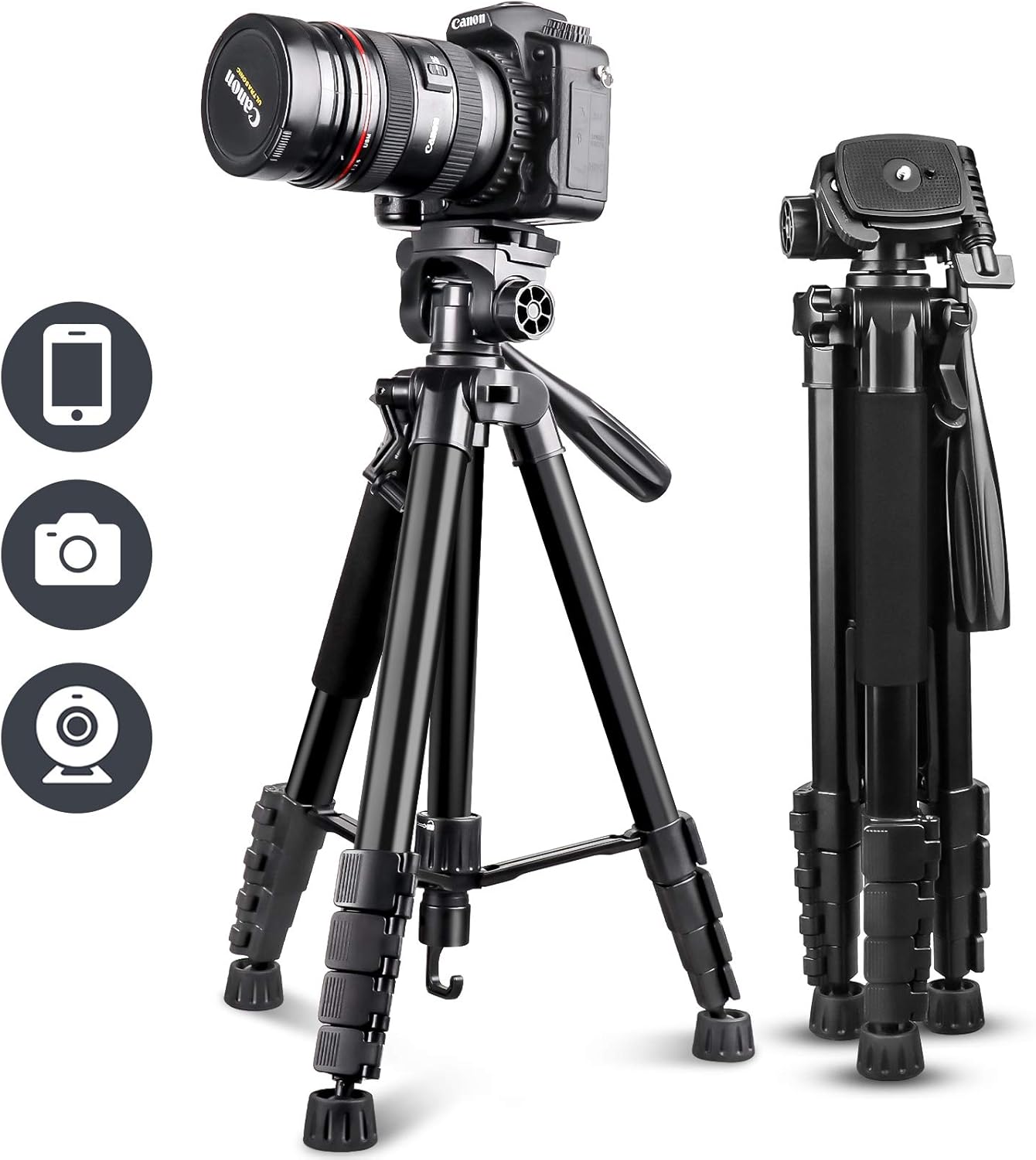
I have always used Canon camera’s. Used to the functioning and operations. This is NOT that. The manual is less than enlightening (like a professor writing for a 5 yr old) But once you figure it out..this thing is awesome! It has so many features exactly like the much more expensive cameras and even a few more.I bought this camera for three reasons. Cost/for functions..doing time lapse (as a beginner)..and because I can’t afford to spend thousands of dollars on a long lens for zooming for my Canon that would match it.As far as functions, the menu is different. Press menu, and it shows you a screen with a row of options on either side. Look carefully..and one of the items in the row on the left has a circle highlighting it. I missed it for the longest time. I’m a grandma..and bifocally challenged..so…To choose which option you want to change, press the edge of the circle button on the back of the camera up or down and press “select” . FYI it is not obvious, but when you hit the bottom of the left row, hit down again and it will skip to the top of the right side row. I assumed I’d have to press the side of the back circle to get to that row and..nope. The screen will then give you options to choose for that item function. Move the back circle left or right to choose and then press “select”. Crazy different from my Canon, but once you get it, you’re good to go. Practice, Practice, Practice before you go out and shoot.For point and shoot, it’s wonderful. I’m not a professional but wanted to do more difficult shots so have been using M for manual more and more. If you use manual (again, not obvious) and want to change the F stop, shutter speed, and iso, etc you have to press the +/- button on the top of the camera. Weird, but… it highlights the the options in yellow on the bottom of the lcd. Press the back dial left or right to choose which setting you want to adjust. Then ROTATE that same wheel to the level you want. Simple, after you find out how. If it shuts off while you’re choosing, just press the +/- again.Once you know how to do that you can actually do a custom setting. It’s not difficult. I use this camera mostly for long zoom shots of birds and wildlife. They move quickly. So I set the Custom up (as an example) for f2.8 1/3200 sec and then Auto ISO. Then when I only have a second to change to catch a great shot, I just turn the top dial to CS. My Canon SL3 doesn’t have programable buttons at all. Choose your settings and then turn the top dial to CS, create custom mode, yes (or something like that,follow the prompts). Then whatever you chose just previous as your go-to quick shot settings, it will remember them. Anytime you want those settings, turn the top dial to CS.RAW/Jpeg. I have editing softward that lets me do amazing things so RAW is a must. But for the life of me, I couldn’t find more than jpeg or jpeg fine in the Quality choices in M mode. You’d think in M that’s where RAW would be, right? Nope. I turned the top dial and eventually found that choice in the A (aperture) mode. jpeg/jpeg fine/RAW/ or RAW plus jpeg. I now get to shoot in Raw/plus jpeg. Once you choose that option it DOES retain that setting in the other modes. Just don’t understand why the RAW choice isn’t in M. BTW, the software is the latest version of Luminar Neo based on AI. Don’t have to learn a million names, or process functions. It’s all based on sliders. Hint..I’m a Grandma. Try it, like what it does, or back it off. I bought the one time version last fall and it also does HDR Merge, Photo Stackiing, Supersharp, Noisless AI, Panorama stitching and Upscale.I bought this camera because it did in-camera time lapse. Something I was interest in learning at the time. Simple to set up in the menu. When it’s done, it combines all the pictures into a video. Love it. Two things. You can’t get a single image to print because it turns the time lapse into a video. BUT..with the Luminar Neo Software you can fix that issue. In the Panorama stitch option, you can also upload videos from this camera or panning on your phone. I watched a video on Utube but haven’t tried it out with a time lapse from this camera yet. But if you drag the video into the Video option in the Panorama tool it converts the video into stills. THEN, you can choose a single pic and print it, or make a Pano out of the whole batch. OMGShooting panoramas on this camera is simple..but you better have a tripod to hold it still (with a level/swivel built in, and and it must swivel smoothly or you’ll get an error message. Left to right is best.I bought something called a z-mount (created by A Wallace and Move Shoot Move). was $39 on Amazon but not only swivels smoothly but adjusts (hence/Z) to allow you to adjust your camera from Portrait mode to Landscape with a flipper. No fussing with an L bracket. Great on the fly and also because I am learning astrophotography and want to shoot some of each direction in Milky Way Pano’s . I’m not affilliated with Luminar Neo or the Zmount people. Just really like them.
john hemingway –
Good price, lousy camera
Over the past 7-8 years , I have had two of these cameras. Both became defective. The first one developed problems with the focus. The viewing screen finally became so blurry I could not use it. I sent it for repair. I received an e-mail telling me it could not be repaired! Fortunately, I had purchasedthe 3-year protection plan. I received a Amazon Gift Card, so I bought another one and the 3-year protection plan. Now, only 15 months later, the second camera became defective. The telephoto lens failed and got stuck about half way. This happened in mid-July. I sent it for repair and two days ago I got an e-mail telling me it could not be repaired. Once again, I got the Amazon Gift Card covering my purchase price. Needless to say, I DID NOT buy another Minolta. I used the card to buy a more expensive , but much better camera. Due to the price and the great feature of the self-contained telephoto lens, you may be tempted to buy this camera. If you do, definitely buy the 3-year protection plan! From my experience, sometime during that 3 years, you will need to use that plan. Minolta used to be a good camera. NOT ANYMORE!!! I will never buy one again!!!
Wayne Burki –
Great Point and shoot with a long Zoom for the non-pro.
Why did you pick this product vs others?:For the non-pro that is seeking a light-weight point and shot zoom this is by far is my choice. Previously I used a Cannon 420 sx for 10 years that became my trusted companion for hiking, hunting, fishing, cycling, traveling and family photos.I thought I had bought new but checked as it arrived with a stamp “used but in good condition.” I was frantic. I checked and did buy used but this thing was exactly like new without the box but wrapped safely. It comes with one battery, a stand alone charger, strap, lens cover and I think a 32 GB ultra 1 sd card but not sure and no way top check now. I use Macro for flowers and the rest of its use I keep on live. Its not a $5000 camera so don’t expect its processes to be that equivalent. For < $500 its an absolute steal!
Mike Escobar –
The pic is an actual close-up pic I took on “macro”. When I bought it I took a big risk because there were NO reviews on Amazon, I took the dive. I love this camera! Decent pics and good video quality. The files on pictures is huge if you want them like that, it takes pics in RAW format and Jpeg. Some pics can be 5,000 x 3,800, very big for close-up on your PC. It has more than enough features, it has the ability to manually control some of the settings, so its not just a point-and-shoot camera. The 67x telephoto is awesome! This camera gives me just what I wanted, but remember that it won’t take SD cards that are 64 GB, which to me it doesn’t matter because I don’t like to put 3,000 pics on a single SD card because I might lose it or it can go corrupt. I like to keep my pics separate on different egg baskets. The good things outweigh the bad things with this camera. I’m keeping it!
Sergio Saavedra Romero –
Las características técnicas, realmente una cámara profesional, el uso de los 67 aumentos te permite captar objetos muy lejanos sin (como ocurre con otras cámaras) que se salgan de foco.
Placeholder –
It is slow, clarity of picture is not up to the mark. Though it has multiple features which are good the final outcome of picture clarity os not up to the mark.
Joaquim Freitas –
A câmera não atendeu minha expectativa e necessidades pois não fui advertido previamente pela AMAZON que não encontraria, no Brasil, carregador e baterias reservas. Sinto-me lesado por “propaganda enganosa”.Atenciosamente,Joaquim
Raymona Dow –
I have only had this camera for a few days but I love it! The zoom is amazing, the images are crystal clear. I can easily download pictures on to my laptop or watch a video on my smart TV. I am very satisfied with how easy it is to use this camera. This is my first Minolta camera and I’m glad I bought it. Delivery was quick and a day ahead of schedule. Perfect camera for me!