


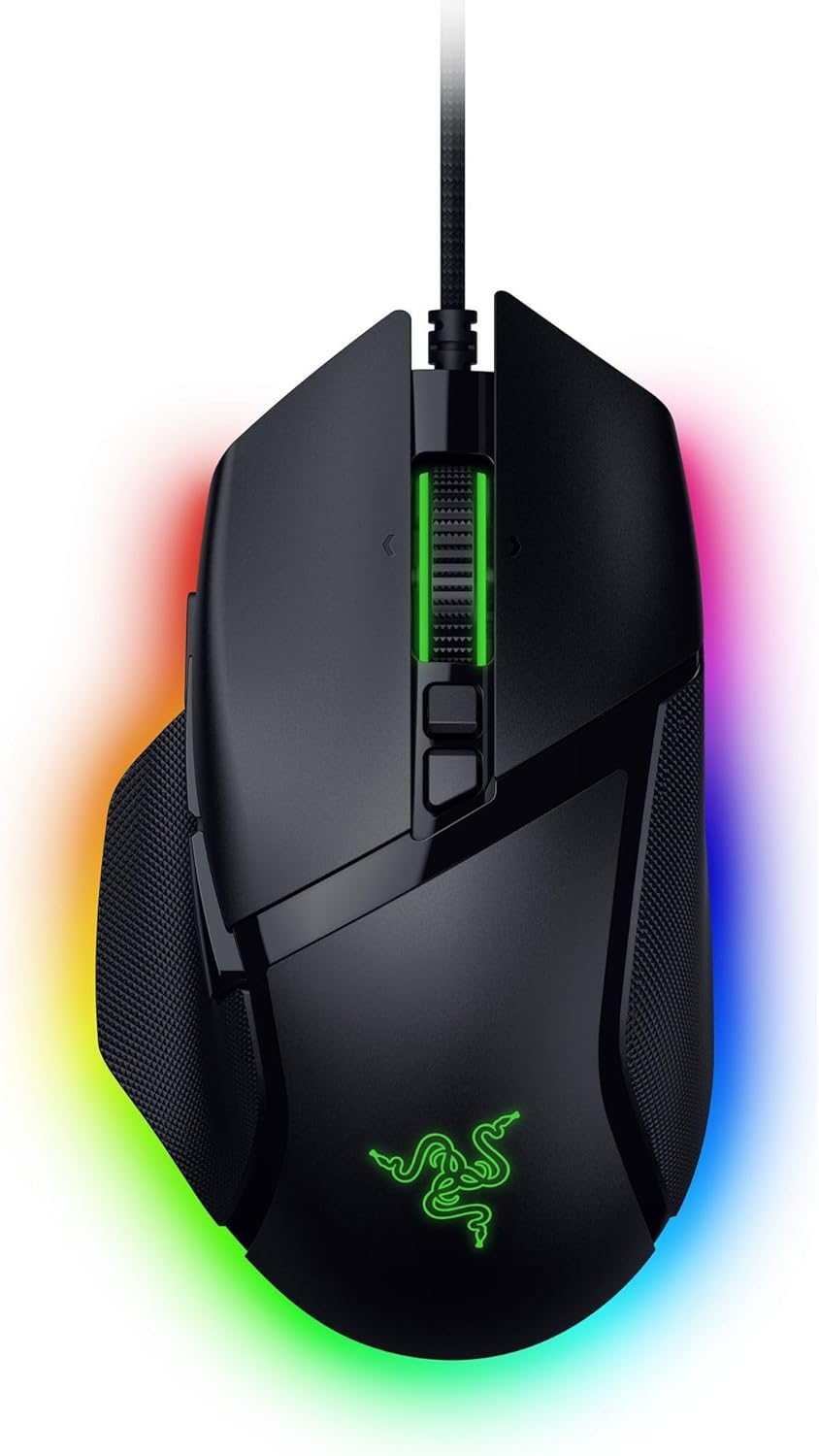
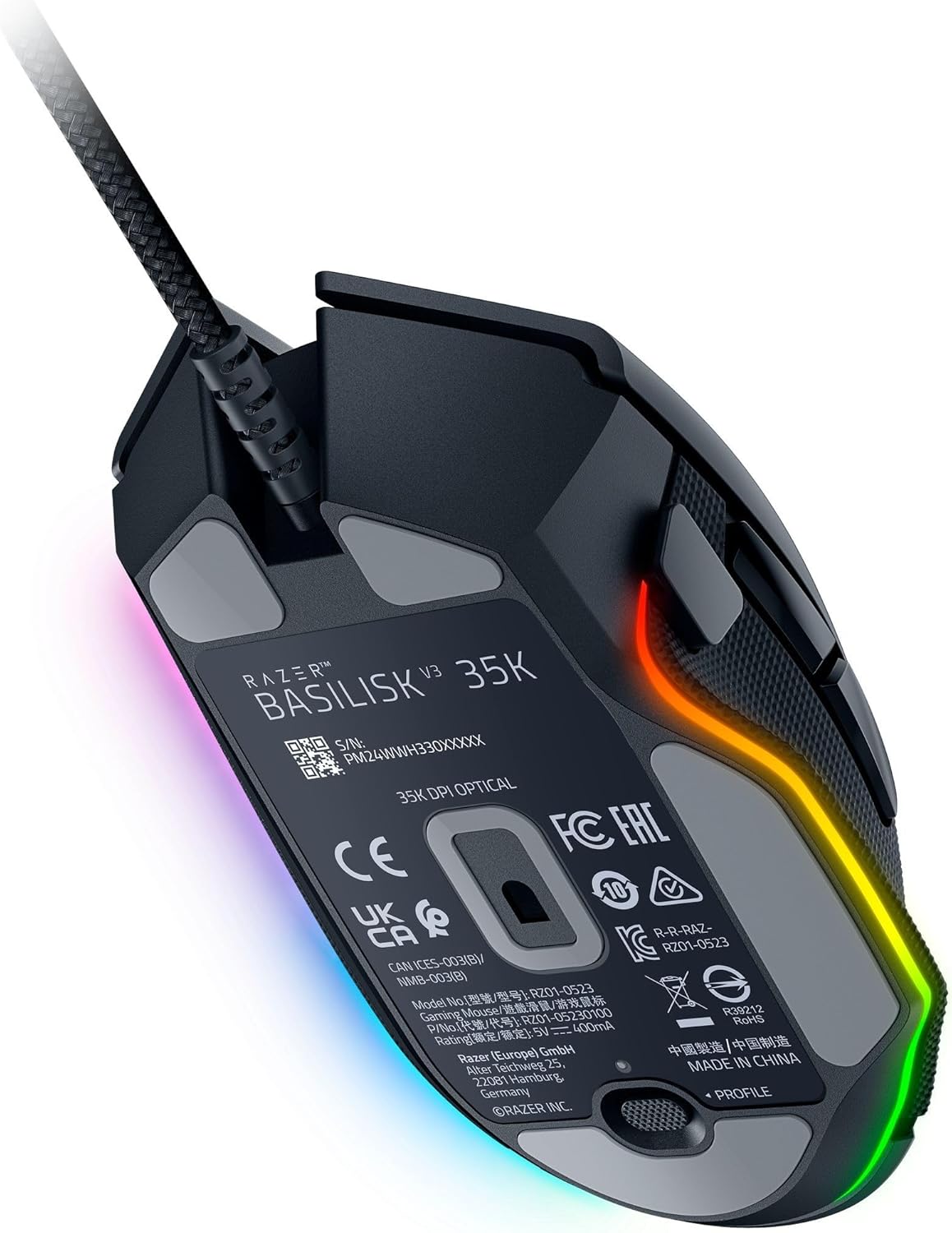


Razer Basilisk V3 35K Wired Ergonomic Gaming Mouse : HyperScroll Tilt Wheel – 35K DPI Optical Sensor Gen 2-13 Customizable Controls – Chroma RGB – Optical Switches Gen 3 – Speedflex Cable
$6,992.45
Price: INR6,992.45
(as of Nov 11, 2025 14:45:20 UTC – Details)
Experience a new level of immersion, customization, and precision with the Razer Basilisk V3 35K—our most advanced wired RGB gaming mouse ever. Featuring a next-gen sensor and scroll wheel designed for deeper configuration, you now have all you need to create the perfect setting for play.
- Razer HyperScroll Tilt Wheel – The most advanced 4-way scroll wheel, with 3 unique scroll modes: Tactile Cycling, Free-Spin Scrolling, and Smart-Reel Mode.
- Adjustable Scroll Tension & Acceleration – Access new customizable scroll options on the new Synapse 4, with 5 levels of scroll tension and 5 multiplier levels of scroll acceleration.
- Razer Focus Pro 35K Optical Sensor Gen-2 – The most advanced and precise sensor with 1-DPI step adjustments and 99.8% resolution accuracy.
- Intelligent Features – With Smart Tracking, the sensor can automatically detect and adjust its tracking algorithm to match the surface, maintaining consistent lift-off distance for greater control and accuracy. Enabling Motion Sync allows the sensor to sync its signals to the exact intervals your PC extracts information, ensuring you get the most current updates of your mouse position for more consistent tracking.
- Razer Speedflex Cable – Premium mouse cable designed for minimal drag and smoother swipes.
- Razer Hypershift – Assign a secondary function to each of the mouse’s 13 controls via Synapse and effectively double your command. Instantly toggle between functions with a touch of a button.
CONFIGURABLE HYPERSCROLL TILT WHEEL — Choose between tactile cycling and smooth, free-spin scrolling, or auto-switch between them based on the scroll speed in Smart-Reel mode—now configurable on Synapse
RAZER FOCUS PRO 35K OPTICAL SENSOR GEN-2 — Experience best-in-class tracking performance on a wider variety of surfaces including glass, supported by intelligent functions and 1-DPI step adjustments for more granular aim and control
13 CUSTOMIZABLE CONTROLS — Assign an endless combination of commands and macros across 13 easy-access controls, including its acclaimed multi-function trigger to execute essential actions like push-to-talk, ping, and more
11-ZONE CHROMA LIGHTING WITH FULL UNDERGLOW — Customize each zone from over 16.8 million colors and countless lighting effects, and experience greater immersion as they react dynamically with over 200 Chroma-integrated games
RAZER OPTICAL MOUSE SWITCHES GEN-3 — From an improved 90-million click lifecycle with zero double-clicking issues, to a blistering 0.2 ms actuation with no debounce delay, enjoy reliability and speed that outshines all others
RAZER SPEEDFLEX CABLE — Woven for greater flexibility and designed to produce minimal drag, perform quicker, smoother swipes for tighter mouse control
OPTIMIZE MOUSE ACCURACY — Improve accuracy by disabling the “Enhance pointer precision” option in the Windows mouse settings, and further optimize performance using the Razer Synapse App
Customers say
Customers find this gaming mouse to be the best for gaming, with great build quality and functionality that works as expected. They appreciate its feel, buttons, and comfort, with one customer noting the sniper button’s comfortable location. The mouse receives positive feedback for its switches and sensor, while opinions about its speed are mixed. Customers disagree on the weight, with some finding it very light while others consider it heavy.






PracticalTech –
Best Mouse I’ve Ever Used!
This is my third Razer Basilisk (owned previous gen models), and I keep coming back because it’s just that good. As a daily programmer, I need a mouse that’s precise and comfortable for long coding sessions, and the Basilisk V3 35K delivers in spades. The ergonomic shape fits my hand like a glove, making those 12-hour coding marathons way less taxing. The 35K DPI Optical Sensor Gen 2 is insanely accurate—whether I’m pixel-perfectly selecting text in my IDE or dragging elements in a UI design, it tracks flawlessly.The HyperScroll Tilt Wheel is a lifesaver for scrolling through endless lines of code, with a smooth mode for quick navigation and a tactile free-spin for zooming through long files. The Gen 3 Optical Switches are crisp and responsive, perfect for rapid clicks when I’m debugging or navigating menus. The Speedflex Cable is so light it never gets in the way even when navigating around quickly on my large monitor.Oh, and if you’re into gaming? This thing is amazing at that too. The precision I love for coding translates perfectly to gaming as well. The customizable buttons are great for mapping in-game actions, and the Chroma RGB lighting adds a cool vibe to my setup when I’m gaming late at night.I’ve tried other mice, thinking something might beat this, but I always come back to the Basilisk model. It’s my gold standard for programming precision and gaming flair. If you need a mouse that excels at both, this is it. Buy it—you won’t look back!
Joel W –
Phenomenal Mouse
The best quality and performance, as expected from a Razer. I’ve been using Razer mice for about a couple decades now (always wired, for reliability and speed), and they tend to last me for many years until I upgrade simply for new features.- 35k DPI is just crazy, especially with a high-quality mousepad. Those of us who prefer very short mouse movements can definitely appreciate the high sensitivity and acceleration the Basilisk 35k offers.- The wheel has a great feel, both in tactile grip as well as its movement. The rubber grip makes moving the wheel left and right effortless, and clicking the wheel down doesn’t take much pressure. The free-spinning setting is not a feature I thought I would use, but I’ve found it to be useful for some game actions and for scrolling through long documents.- The feet/skates are substantial in size, and the PTFE is nice and slick. They will last for years on a cloth mousepad.- The woven-cloth cable is very light, highly flexible, and smooth. You won’t feel it at all when moving the mouse.- The thumb rest is very comfortable, and it keeps my thumb aligned with the side buttons while keeping the thumb off the mousepad.- The “multi-function” side button is just a few millimeters too far forward to be perfect for the way I hold the mouse, but it can be reached with only a minor shift of my thumb. I use it mainly for the “sniper mode” feature in shooters, which lowers the mouse sensitivity to improve accuracy.- Razer Chroma is a great program if you’re into the trend of having everything in sight lit up with various colors. Mine stays on green.
William L. –
The Best
I have been using the V3 Basilisk for years. This 35k is a even better. Hard to believe but it is. Best mice on the planet, period.Optical switches. Just can’t be beat.
Álvaro –
Quality + Precision
Amazing, I was looking for a precision like this. Quality is noticeable. Only one thing related to add more buttons like Logitech lightweight 502 x, it has 2 buttons beside primary click. If you are looking for precision, this is for you.
Nicholas W. Sheffield –
Nearly perfect mouse for me.
I got this bad boy to replace my Basilisk V2 after the Scroll wheel went out after 4 years of use. I was very impressed with the amount of customization I can do with all the profiles for DPS and found an exact speed that works great for my needs. The only thing I don’t like is the button where my thumb sits that is explicitly for slowing down DPS. I’m not a hardcore PC Gamer and have no idea how this is supposed to help during gaming or anything really, but it gets annoying to accidently press down or just feel it there. If there was a way to customize it to a different function then I would definitely give it 5 stars, but I haven’t’ found a way yet.
Joe –
Absolute goated
Love it works great everything by razer is always 10/10
Joel Monterrey –
Looks great, great feel, attention to detail, beautifully crafted, excellent support in Linux
I’m coming from a Logitech G502 and I’m going to argue that this is a better mouse. The look, feel, build quality, and control are all better. I think there’s good support for it too in Linux with a number of various apps. I haven’t used those recently but I have in the past which led me to ordering this new mouse. I think me and Razer are friends now.
Michael Coulter –
Not up to RAZER standards
This is definitely the cheap version. I love the extra buttons, and that is why I bought it. But it doesn’t always work. it cuts out and lags and is just not what I expect from Razer. I have a lot of Razer products and this is not one I will be using. Luckily it didn’t cost much.
Victor Morales –
Es mi primer mice gamer.Conozco la marca y la verdad el producto no decepciona es simplemente increíble.
David TD –
Quality of mouse is great. Most importantly the sensor is so accurate that it’s eliminated the need for my mouse pad. Wish it was easier to clean as the dimples get a little grimy.
Hani Angela –
My son loved it. Thank you 😊
Patrick Marinier –
Great comfort and works better than wireless
Cumple con lo prometido –
Se siente muy bien y es bastante preciso auqnue el software de razer… De resto los switches que tiene se hacen querer muy rapido, el cambio en la rueda me ayuda para la ansiedad, y lo de los botones isquierda y derecha en la rueda son algo que no me esperaba pero da placer usar Tiene sus super peros para mi con el tema de personalizar pero si buscas un mause no tan caro y que tenga prestaciones de gama alta aqui tienes una opcion