




Perixx PERIBOARD-409H Wired USB Mini Keyboard with 2 USB Hubs, Black, US English Layout
$26.99
Price: $26.99
(as of Nov 14, 2025 02:42:28 UTC – Details)
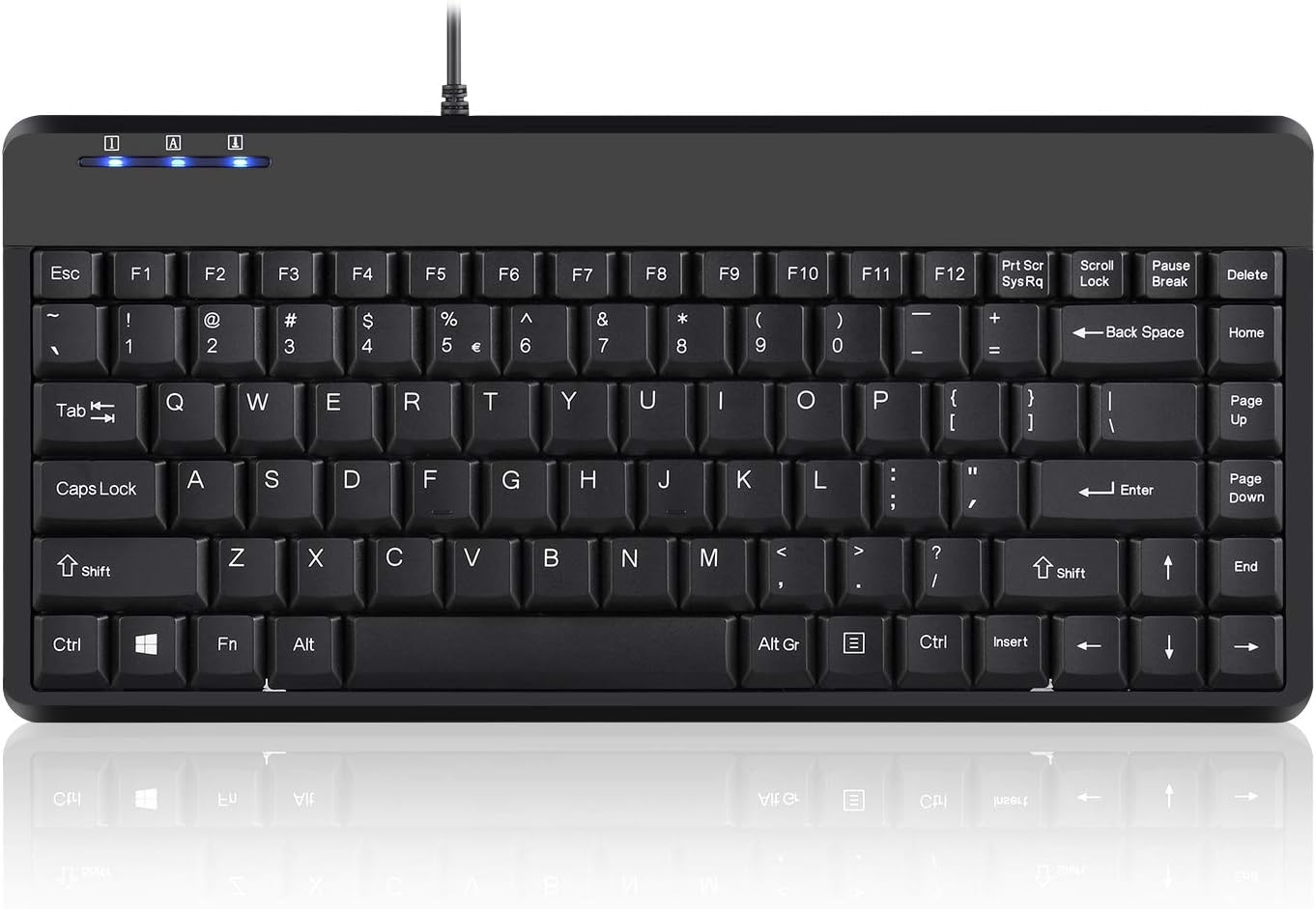
Perixx PERIBOARD-409H is a compact keyboard with a one piece design. The keyboard design is angled with sturdy base. Built with high quality membrane switch which provides a comfortable and quiet typing angle. Wired USB connection with easy Plug-and-Play set up.
Dimensions: 12.36 x 5.75 x 0.79 inches
Weight: 0.88 lb.
Extra Features: Two extra USB ports (Useful for limited USB ports on your computer device).
COMPACT DESIGN – Mini keyboard design without number pad area; Design that save space on your desk
BUILT-IN USB HUBS – 2 built-in extra USB ports on the side of the keyboard; Use them to connect extra input devices, such as connecting with your mouse, keypad and USB flash drive; Users have more flexibility at workspace
SOLID AND POWERFUL – Long lasting key caps that are built with high quality ABS material, are printed with durable UV coating; The responsive membrane keys offer 10.000.000 times switch life cycle
PLUG AND PLAY – Easy setup, require no extra driver or software to work; Simply plug it into a USB 2.0 port and start typing with 5’9 long cable, it is long enough for you to connect with your computer, whether it is on or under your desk
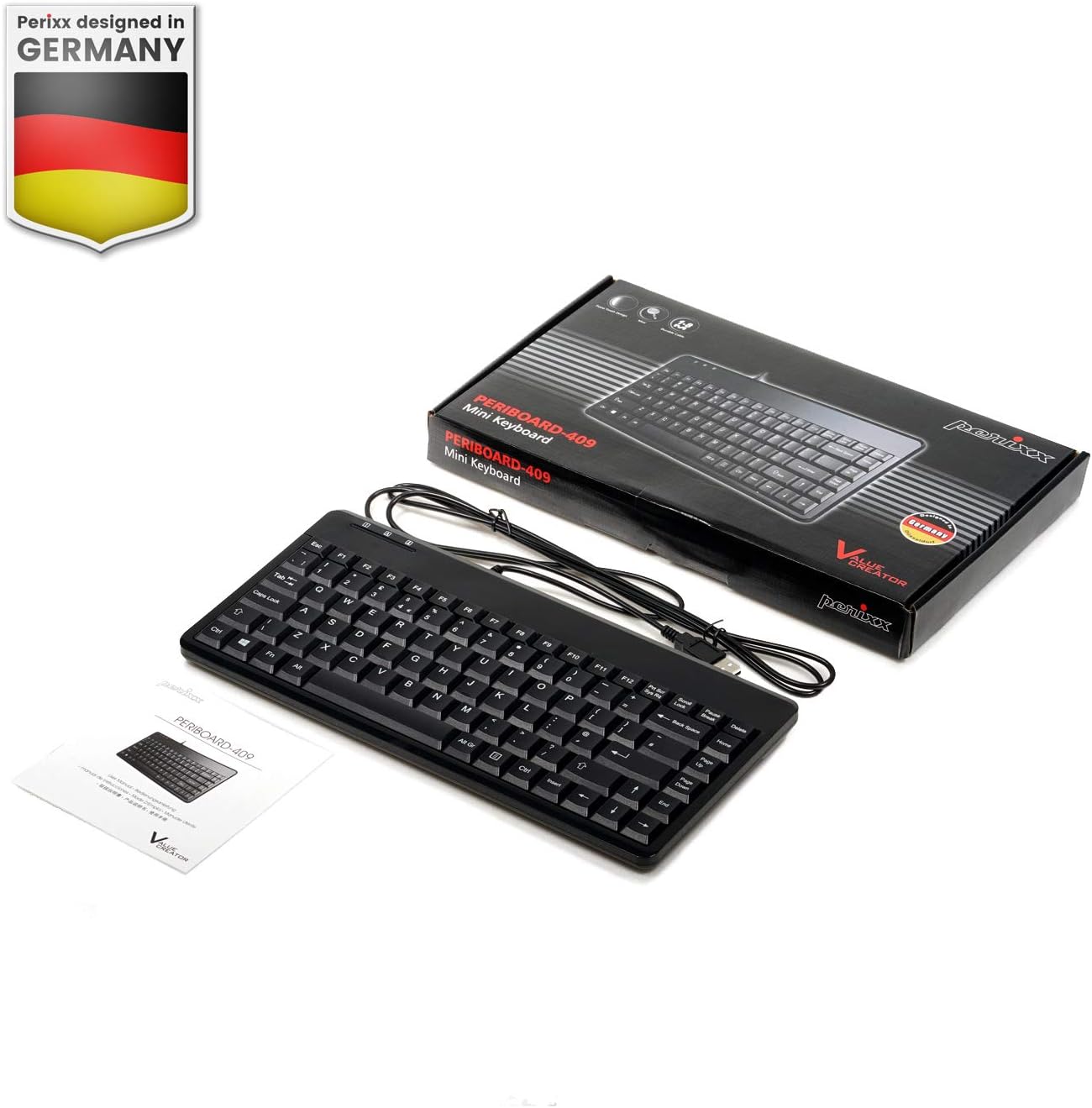
SYSTEM REQUIREMENTS – Windows 7, 8, 10. Wired USB connection. Package includes: 1 PERIBOARD-409H UK, 1 instruction manual
Customers say
Customers find this keyboard well-made and appreciate its compact 88-key design, with one noting it’s perfect for preventing wrist pain. They like its gentle tactile response, built-in USB ports, and simple plug-and-play setup. Customers find it good value for money, particularly noting its size for the price, and appreciate how it leaves room on home office desks.




William M. Miller –
A joy to type on, checks all the boxes
I love this keyboard. It’s nice and compact with a low profile, easy to toss into the laptop bag and take on the road. The touch is nice and light, with well-sculptured key caps and a good amount of travel. The layout is very convenient, with the Home/End/PageUp/PageDown functions accessible as a vertical row at the right side of the keyboard without needing to use the Fn key. My only complaint is that the key legends are painted on and will likely wear off quickly; I can already see some fading after just a few days of use. If the key caps were double-shot molded, I would rate this keyboard as perfect.
BlueWolf1424 –
Nice little keyboard
I bought this for my daughter to use with our laptop. She gets a little rough with the keys while playing her games. This keyboard is nice and well made. I waited a bit to make a review to have her use it for awhile. I have grown to use it now myself and I have no complaints! It plugs in and works right away and I haven’t had a single issue. Even after my daughter using it like crazy. We even have a wireless mouse and I have that plugged into the keyboard and again, no issues.
Cord Kirshner RN –
Good looking small form factor, cable clutter though.
Like. Makes for a great backup keyboard given its small form factor. Nice aesthetics. I cannot comment on sturdiness, have not used it long enough. While it feels reasonably well made, I have my doubts as to the long-term sturdiness and expected longevity given the low price. My principal keyboard is a Logitech bluetooth wireless. Every so often, it disconnects from my computer preventing me from typing my password to login. So …., one needs a backup wired keyboard to use for login and reinstalling the wireless keyboard driver. This happens too, periodically, with the wireless mouse. So best to keep a wired keyboard and mouse handy.Dislike. The wired portion is very stiff PVC vinyl so for those who will be using this item as their primary keyboard will have trouble keeping it straight. In other words, the wire is not smooth and floppy so all the kinks and bends will be noticeable (lots of cable clutter). The wire is also very long which will be great for people who like to sit far from the computer and monitor (???) but a drag for those looking to minimize cable clutter. Given this price point, this is a disposable consumer item. It does not look like it can be easily recycled (so 1 ⭐️ for its high environmental impact).Overall. Works great for my need (low cost, backup wired keyboard with low expected use).No conflict of interest: I received NO compensation (e.g., cryptocurrency, cash, wage, salary, coupon, gift card, item-in-trade, discount, reimbursement, free merchandise, or other financial inducement) whatsoever for this item and my review of same. I have NO affiliation whatsoever with the seller or manufacturer of this item. I purchased this item for personal use.
Aurora –
4.5 stars, mostly fine but scroll lock key gets hit too much
The problem I was trying to solve by buying this was that my old keyboard has a number pad on it and is really long. I don’t need a number pad and there were times when there was too much distance between the right side of the keyboard and my mouse, which became very inconvenient. So I bought this keyboard.The price is good, the keys feel good when they type, and the key action is fine. The size of the keyboard is good. Sometimes I arrange things on my desk in several different ways, and the old keyboard was too long to fit in some of the locations where I was putting it. This is much smaller so that is good. Cord length is fine, and I was able to plug it in and use it immediately. I like the fact that the keys are dedicated and aren’t sharing functions with other keys (there aren’t 2 functions on the same key that you have to select from, like there are on some other keyboards). Basically it is good.The biggest downside that I see is that the location of the scroll lock key is such that somehow I keep hitting it by accident and a blue light comes on (out of the 3 lights that can come on at the upper left side, it’s the one on the far right). Nothing bad happens as a result of this, just the blue light is annoying. To fix it I just hit the scroll lock key again and it’s over. So it’s easy to fix. But this does happen on a semi-regular basis. Sometimes the caps lock key comes on when I hit it by accident (center light), but that used to also happen on my old keyboard sometimes so I don’t think there is any change in that compared to the old. Mostly it is the scroll lock key I hit by accident. I recommend that you don’t throw away the little manual that comes with it, because the lights aren’t labeled clearly, so if the scroll lock light comes on, you will have to look up what the light is in the manual in order to turn it off.I don’t use the function keys that often so it’s mostly irrelevant, but the function keys aren’t labeled. But they also aren’t labeled on a lot of other keyboards. So that’s not different than my old keyboard.Overall, I am satisfied and this keyboard has solved my issue of removing the number pad and being able to fit better on my desk in certain configurations. I’ve only been using this a few days so this review is based on using it that length of time.If there was more space between the main keys and the scroll lock key so I don’t keep hitting it, I’d say this is almost perfect. But it’s fine and I like this better than the old keyboard so I’m satisfied with it.
Rob –
Perfect Size for Small Desk Keyboard Trays
My son has a computer desk with one of those drawers that slides out for the keyboard/mouse.Unfortunately, we had a full sized keyboard with a numpad, and it left very little space for the mouse to move around.This keyboard allows him to have a lot more space so he can still play games and not have to put the mouse on top of the desk. It too can fit on the little keyboard tray side by side with this smaller keyboard.Additionally, the 2 USB ports on the back of the keyboard make it easy for him to connect a Game Controller or Jump Drive (as he has an older computer without front-usb ports, so it’s hard to get to the ports that are only accessible on the back of the PC)
Herr W. –
Sehr gut verarbeitete und wertige PS/2 Tastatur.US / Englisches QWERTY Layout.Man sollte meinen im 21. Jahrhundert wäre USB das Maß der Dinge?Denkste!Neulich sperrt mich mein Win SBS 2011 Server aus “Benutzerkonto konnte nicht geladen werden”.Also von einer Linux Rettungs-CD gebootet um das PW zurück zu setzen.ABER: USB Tastatur wird nicht erkannt! PS/2 auf USB Adapter ging auch nicht.Also habe ich diese Tastatur gekauft. Und sie funzt wunderbar.CD gestartet, PW zurück gesetzt und der Server läuft wieder!
Roberto Luce –
Ero alla ricerca di una tastiera particolare che avesso lo Shift destro molto vicino alle frecce e questa mi ha pienamente soddisfatto. Essendo mancino per molti giochi dovevo usare le configurazione diverse dalle solite e per questo mi son trovato bene con questa disposizione dei tasti, qualità ottima e materiale robusto, la tastiera si presenta leggera e sottile, poi col cavo USB non bisogna neanche sprecare soldi per le pile. Ottimo prodotto.
Pete W. –
The Perixx PERIBOARD-409U is a PS2 compatible keyboard with a USB connector. It works perfectly with my Olimex version of the AgonLight2 retro computer. I also tested it on an old PC. The keyboard layout is completely standard and the keys have the normal spacing. I appreciate the large font on the keycaps. The keyboard action is snappy, the press distance is on the short side, and the keys make a soft click. I’ve used it for coding on the AgonLight2 and it is well suited for this role. The three LEDs (NUM lock, CAPS lock, and SCROLL lock) are blue and quite bright, but they are all OFF in normal operation. The LEDs don’t bother me, but I tested applying an Avery “See Thru Colour Coding” label and this reduced the brightness to a dull glow. I needed a good PS2 compatible keyboard and didn’t want to spend too much. I’m very happy with the 409U.
Johan –
Works as intended! In case anyone else buys this keyboard for interfacing with their homebrew computer, you need to send an “enable scanning” byte (0xF4) to it for it to work as a legacy keyboard.
Henk Eerkes –
Muis en toetsenbord kunnen nu dicht bij elkaar en dat werkt echt lekker. Het bordje typt lekker en heeft alle knoppen die ik wil. Dikke aanrader (wat mij betreft).