


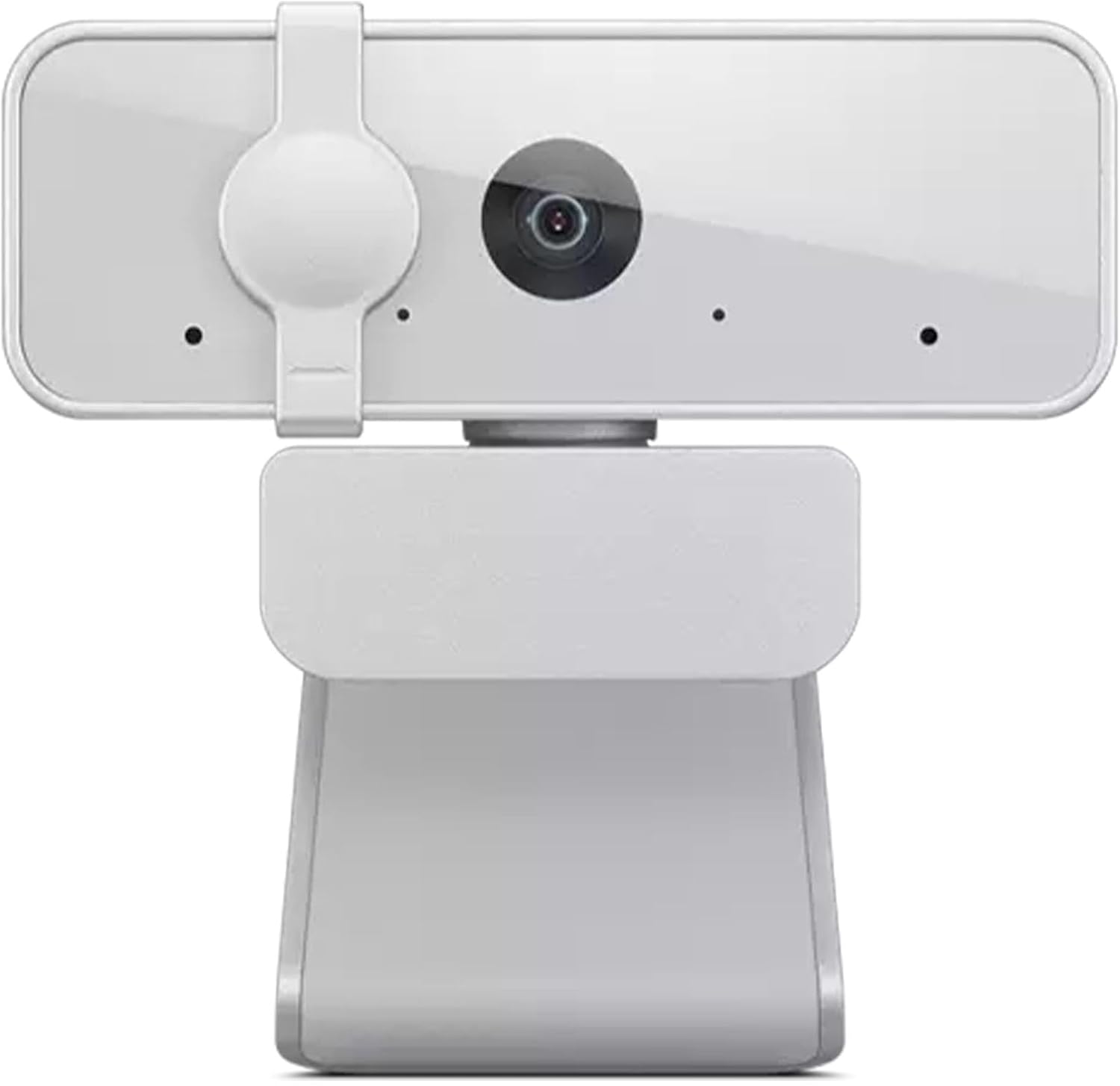


Lenovo HD 1080p Webcam (300 FHD) – Monitor Camera with 95° Wide Angle, 360° Rotation Pan & Tilt, Dual Microphones – Attachable Desktop Cam with Privacy Shutter for Remote Work, Streaming & Gaming
Original price was: $39.99.$21.99Current price is: $21.99.
Price: $39.99 - $21.99
(as of Oct 30, 2025 03:01:06 UTC – Details)
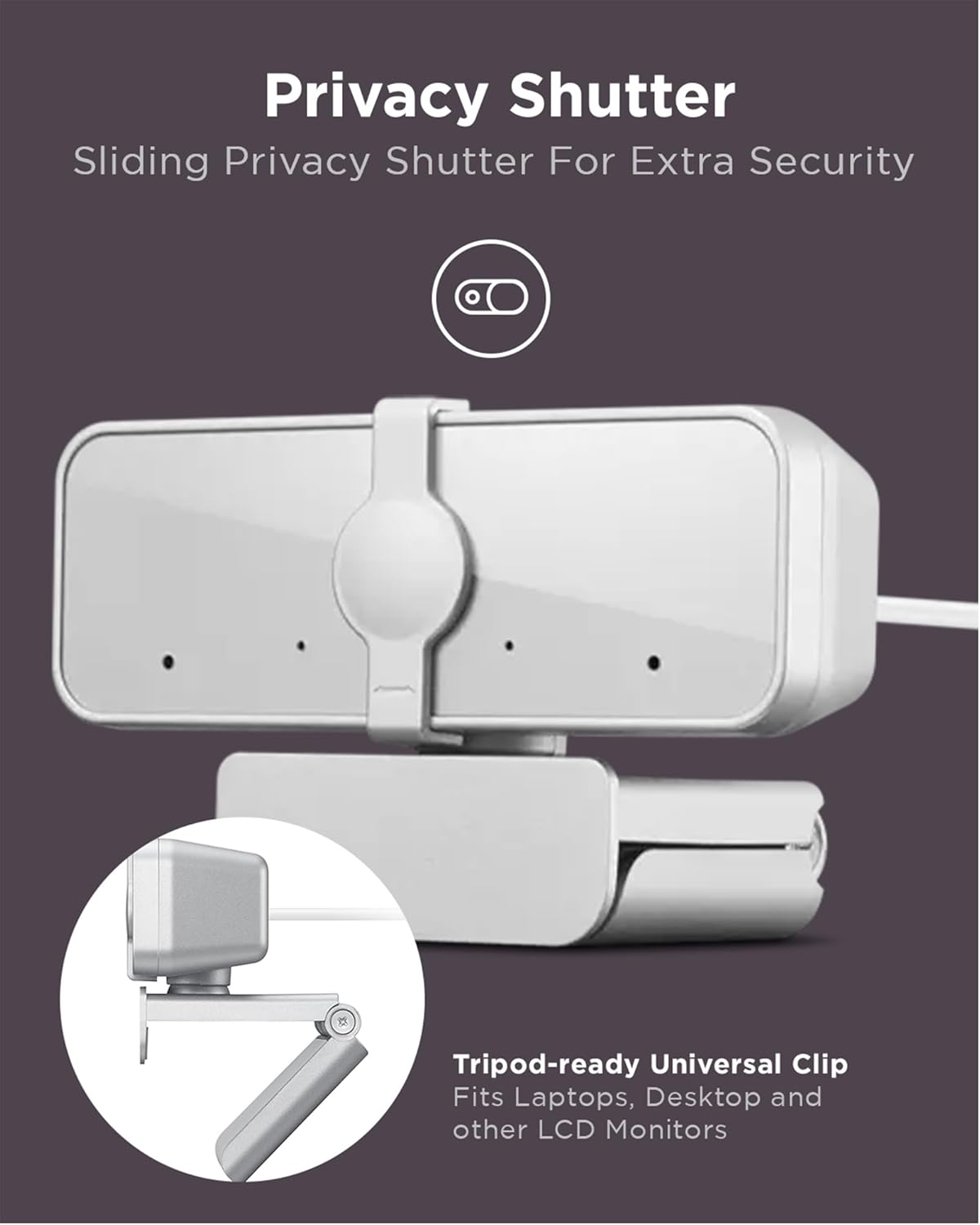
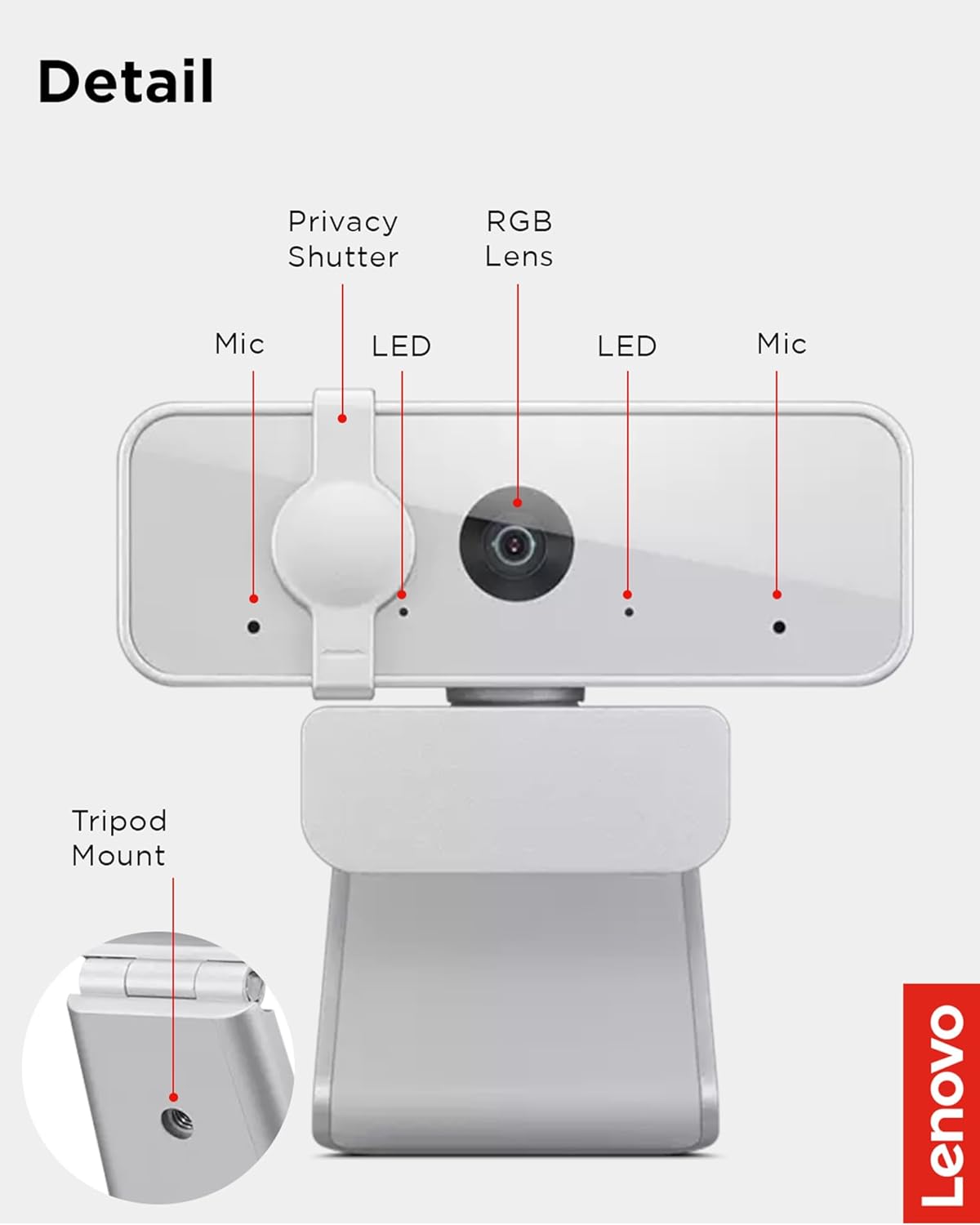
Experience high-quality video calls with stereo audio with the Lenovo 300 FHD Webcam. This convenient plug-and-play webcam is powered by a full HD 1080p 2.1-megapixel CMOS camera that allows your friends, family, and colleagues to see you clearly. It has full stereo dual mics that are perfect for conferencing or long-distance video calls. Perfect for live streaming video, conference calls, video chats, and recording, this USB webcam delivers perfect high-resolution video and lets you set the scene with its ultra-wide 95-degrees lens. It works with any Windows or Mac device. The flexible mounting mechanism lets you attach it to your desktop computer monitor or laptop; it also includes tripod support so you can set it up virtually anywhere. A physical privacy shutter lets you cover the lens when not in use. You can make any angle work thanks to the wide-angle lens, tilt controls, and 360-degrees rotation.
Full HD 1080p Clarity: Experience crystal-clear video quality with the Lenovo 300 FHD Webcam, equipped with a high-resolution 2.1-megapixel CMOS camera that delivers stunning full HD 1080p resolution at 30fps for sharp and detailed visuals
Wide-Angle Lens: Capture a wider perspective with the 95-degree wide-angle lens, allowing you to fit more into the frame. Whether it’s video conferences, online streaming, or content creation, the wide-angle lens ensures a more immersive viewing experience
Convenient Plug-and-Play Connectivity: Set up your webcam in seconds, just plug the USB 2.0 cable into any Windows or Mac device; UVC encode ensures compatibility with a wide range of video conferencing software and operating systems
Flexible Tilt and Rotation: Adjust your webcam effortlessly to get the perfect angle. This highly adjustable webcam features tilt controls, and its 360-degrees rotation capability ensures you can capture every moment from any angle
Crystal Clear Audio: Enjoy superior audio quality with the integrated full-stereo dual microphones. Whether you’re in a meeting, recording a video, or on a long-distance video call, the 2 integrated mics deliver clear and crisp sound
Customers say
Customers give positive feedback about the webcam’s camera quality, value for money, and connectivity, noting it takes just 2 seconds to connect and works well with Windows. The picture quality and functionality receive mixed reviews – while some find it impressive, others report poor quality and issues with Windows 11 Hello compatibility. The zoom capability and camera angle features also get mixed reactions, with some praising the 360-degree pan feature while others note the lack of tilt adjustment.




Senoralitha –
One of the better options for a basic camera. TOTALLY SATISFIED.
Know what you’re looking for.300FHD model: for a basic, good quality, clear picture, it’s perfect.PROS:Super easy to plug in and get working, no software required. (10/10)Very good color, gamma (light/dark) and adaptive lighting. (10/10)I use with OBS. It is 100% compatible and I adjust/control it through the OBS interface. Interface has tweaks to have good healthy skin tone, note that even high end cameras ($2000+) need as much tuning.It has a very wide FOV which you can only change with editing (OBS) or reducing the resolution to a more square frame. Literally the edges of a room with appear in the sides, so adjust or block out if you want to limit the FOV.The camera “perspective” (7/10) as far as positioning and scene composition isn’t perfect. On top of my monitor, its way too high top -down perspective. So, I have to place it below the monitor on my soundbar. This totally works, but is a bit odd. Side to side “perspective” is amazing, and as long as it points at me, I’m fairly clearly front-on and not at an angle. So I can move it left and right freely with ease. YMMV.LOW LIGHT: (10/10) It works way way better in low light than I would have ever imagined.I like the privacy filter slider but a piece of tape works too.CONS:Its not a Sony or Canon, but I don’t need something that good (and most people don’t).I got a separate mic so I don’t use the mic (and you shouldn’t either, unless you’re desperate)The mic, however, is always working and I don’t know how to mute it.Its an older USB (2 I think) interface, so its got limited bandwidth, but its fine for the resolutions (I reduce the max downward)
B and K –
Basic webcam with good audio/video quality
Overall this is a great product if you’re looking for an entry-level webcam. I like the privacy shield, as well as the LED indicator lights which let you know when it’s powered on and when it’s recording. It records video in 480p, 720p, or 1080p – just be aware that the framerate only goes up to 30fps (higher would be nice, but it works just fine for my purposes). The tilt and rotate features are also nice, and it sits pretty securely on top of a monitor (also has an attachment point for a tripod). Audio quality is fine, nothing incredible but better than I would expect from a basic webcam.I plugged it in and it worked immediately – no messing with drivers or software. The cable is plenty long and feels pretty solid. Overall happy with my purchase.
Amazon Customer –
Does not tilt up and down only swivels right to left.
For the price I paid ($22) I am pretty satisfied so far. My only regret is that I did not know it doesn’t adjust up and down like my previous Logitech one. It swivels right to left but not up and down. I finally got it in a position where it works but I think I will eventually replace it with one that has the ability to adjust up and down. Picture quality seems to be good (better than my previous Logitech). Overall not a bad purchase for the price but Inlike the design and functionality of my previous Logitech one better.
Minh –
A good, cheap Windows Hello camera
The camera was a bit bigger than I expected, a lot longer than my previous Logitech C920. But Windows Hello works flawlessly and the quality of the video is good, although there is noticeable noise. The field-of-view is also very wide at 95 degrees, so it may not be suitable if you want privacy with your surroundings. I intend to use this camera for showing an audience in a large room and I don’t mind using digital zoom software for normal use.As for the build, it’s made out of plastic and feels a little cheap, but it’s not like it’s going to be handled a lot. Also what is very nice is that the built in camera shield can close partially to cover the main camera, but leave the infrared and RGB sensors open for facial recognition.All in all, a great budget camera if you’re looking to use Windows Hello, although you’ll definitely want some camera software to adjust things.The photo shows the camera on top of a 24″ monitor.
Sarah J. –
Default zoom is too far out; no way to reset default.
Not loving it. It works fine, but the default setting is zoomed WAY out. There is no software to use to control the webcam, so you have to use the settings in whatever program you’re using at the time. I use Teams for work, and every time I use it in Teams, it resets to the default settings. I wish the camera had its own software to control the default zoom. Or even if the default zoom was closer than it is. If so, that would change everything. but as it is, I’m going to return it. I can’t be bothered to reset it every time I use Teams.
Chris –
Solid Webcam, at a Great Pricepoint
It’s a quality webcam that’s plug & play – it works with windows hello, so you won’t have to worry about logging into your computer with a password every time (if that’s not your jam). It’s light enough that it sits on top of my mounted monitor, without causing any sagging (full transparency though, I’ve got a solid mount).The view from the camera can be a little wide, but if you’re using video conferencing software (e.g. Zoom/Teams) it’ll rein it in. The color accuracy of the camera also seems to be pretty solid.It’s relatively affordable, accomplishes everything I might have hoped for, and genuinely don’t think a whole lot about it (which I think, for a web cam, is kind of the best use case).Would buy again, 5/5.
Mohammad Z. –
Don’t buy this 💩
Worked for a whopping 4 days and it’s completely broken now on its own. The camera is frozen and all pixelated! Do NOT buy this get something else, returning this today.
Filipe Mendel –
O que chama a atenção logo de cara, é a angulação aberta. Ela capta até o que você tem certeza que não vai aparecer. Aparece. Em segundo lugar, a qualidade. A webcam do meu notebook é inferior às webcams da década de 90. A mudança é radical. A qualidade desse câmera é fenomenal. Vi muitos reviews na web falando mal do autofoco, do equilíbrio de brancos, e outras coisas. Fica meu conselho, esses reviews são muito exigentes, portanto se depender deles, você não compra a webcam.Como ponto crítico dos reviews, o fato da angulação ser muito aberta, pode comprometer a privacidade de quem a utiliza. Minha recomendação, é fazer o uso de aplicativos de captura de imagem. Por exemplo, eu utilizo um software gratuito de três letras, voltado para captura de tela, de webcam e outras coisas. Nele configuro essa webcam para cortar o ângulo aberto e deixar fechado apenas no meu rosto.Pois essa webcam não possui ajuste de corte. Ou você utiliza o fundo desfocado se disponível na aplicação.De resto, ela vem com um cabo suficiente longo, para quem utilizar em computador desktop, protetor de privacidade para fechar a câmera (eu prefiro desplugar o USB do note, quando a não utilizo), possui dois leds bem discretos (branco para informar que está recebendo energia e verde, quando está sendo utilizada), na base possui uma espécie de garra, que se prende a qualquer superfície sem danificar, possui proteção na garra e a webcam gira em 360 graus, possui encaixe para tripé (uso padrão) e possui ajuste de altura, limitado porém suficiente.A melhor câmera que você pode comprar, em termos de custo e benefício.Microfone estéreo dela não utilizei, utilizo mais fones de ouvido bluetooth. Então não sei precisar a qualidade.Se você é um usuário leigo, e o fato dela ser muito expositiva (em termos de abertura angular), o ideal é procurar uma webcam com o ângulo mais fechado, como as de entrada. Agora, se isso não é um problema, essa webcam é pra você.
Jorge Alberto López Gutiérrez –
Para uso de clases en línea es excelente y creo que hasta sobrada. Buena resolución de imagen y capta excelente la luz.
Nuru1225 –
Low light performance is disappointment. Works well with windows hello and mic is good.
Mrs. S –
It’s plug and play so no need to install anything. It works well, wide angle so most of the background is visible.
Alex S. –
Esta webcam es la opción para quien quiera una cámara eficiente a 1080p para meetings virtuales, accesible en costo y que también incluya funciones como Windows Hello para mejorar la privacidad y accesibilidad a su PC, este funciona sin ninguna complicación, rápido y eficaz sin requerir instalaciones de drivers o programas extras, prácticamente la cámara es plug and play. Se agradece qué cuente con pestaña de privacidad física por si no quieres que el lente siempre este descubierto, aunque si quieres hacer uso de la función de Windows Hello si necesitas tener descubierto el lente, pero bueno, eso ya es a discreción de cada quien.