


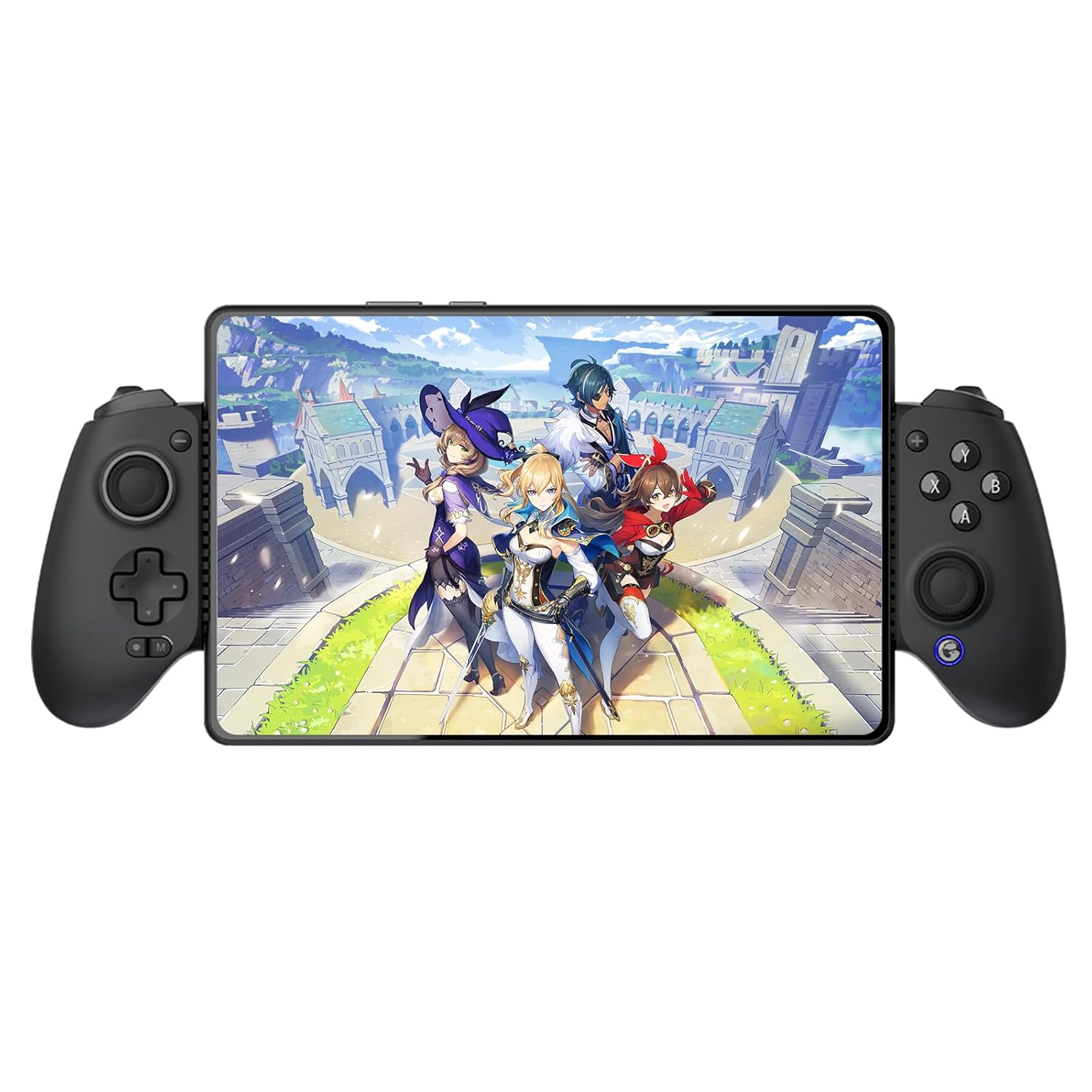

GameSir G8 Plus Bluetooth Mobile Game Controller for Switch & iOS & Android & Tablets, Wireless Gamepad with Hall Effect Joysticks/Hall Trigger, Play Minecraft, Genshin Impact, Call of Duty Mobile
Original price was: $7,090.95.$6,381.77Current price is: $6,381.77.
Price: INR7,090.95 - INR6,381.77
(as of Nov 09, 2025 04:17:13 UTC – Details)
Product description
The video showcases the product in use.The video guides you through product setup.The video compares multiple products.The video shows the product being unpacked. hero-video Merchant Video
Attention: the G8 Plus is not compatible with PS4
We recommend not using a phone case with this controller. If a case must be used, please ensure it meets these specifications: maximum 1mm thickness and non-slip surface texture.
Gamesir Mobile Controller
Add to Cart
Customer Reviews
4.4 out of 5 stars 1,748
4.3 out of 5 stars 2,812
4.2 out of 5 stars 489
4.0 out of 5 stars 78
Price
INR 6,381.77INR6,381.77
—
—
—
Working Platform
Switch/iOS/Android/Tablet/PC
iPhone 15 Series / Android
iPhone 15 Series / Android
iOS / Android / PC
ABXY Layout
Xbox
Xbox
Xbox
Xbox
Back Button
2 Back Buttons
2 Back Buttons
No
No
Stick Tech
Hall Effect
Hall Effect
Hall Effect
Hall Effect
Trigger Tech
Hall Effect
Hall Effect
Hall Effect
Hall Effect
Face Button
Membrane
Membrane
Tactile yet cushioned
Tactile switch
D-Pad
Tactile Switch
Tactile Switch
Tactile Switch
Tactile Switch
Connection
Bluetooth/Dongle/Wired
Type C
Type C
Bluetooth
6-Axis Gyroscope
Yes
No
No
No
Compatible Length
120-215mm
110-185mm
110-168mm
110-168mm
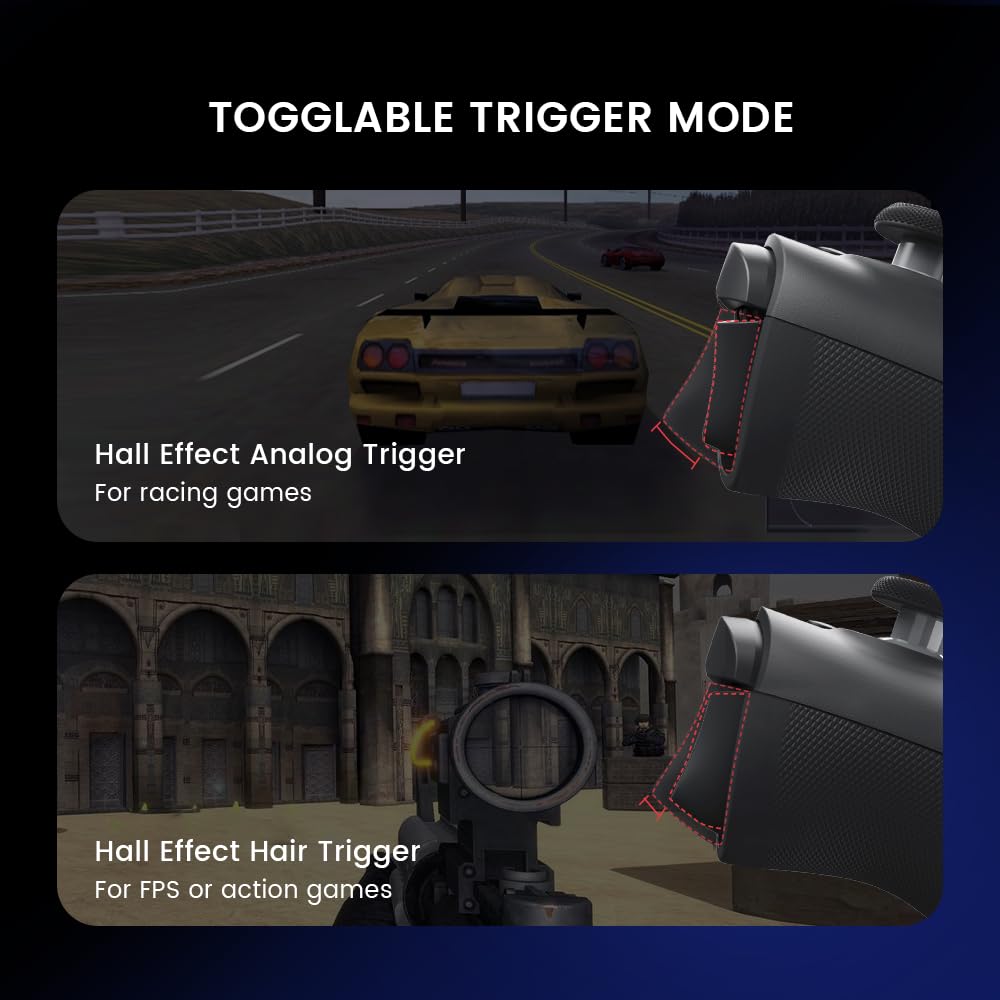
🎮 Precision and Durability: Hall Effect sensing sticks and triggers offer precise, smooth, and durable control for competitive gaming.
🎮 Universal Compatibility: Fits a wide range of devices, including phones, Switch, and tablets, thanks to its extendable design.
🎮 Motion Sensing: The 6-axis gyroscope enhances gameplay with precise motion control, ideal for Switch games.
🎮 Realistic Vibration: Dual motors deliver strong and subtle vibrations for an immersive gaming experience.
🎮 Customizable Design: Interchangeable magnetic components let you personalize your controller’s appearance and functionality.
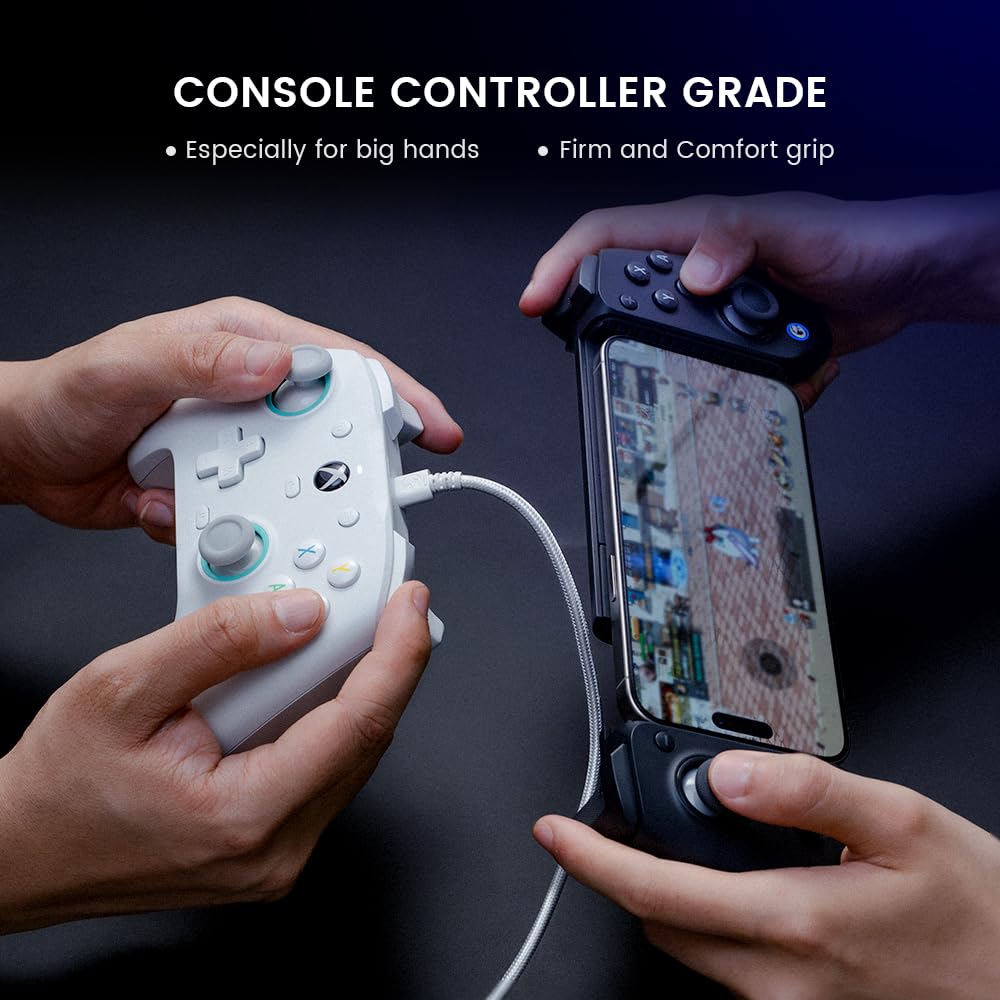
🎮 Console Comfort: Enjoy console-sized sticks and buttons for exceptional control and comfort during long gaming sessions.
🎮Connection: Bluetooth for mobile devices, Wired for PC. Each side Battery capacity is 500mAh.
Customers say
Customers find the game controller to be a great all-rounder with a solid feel, smooth thumbsticks, and comfortable fit that accommodates larger phones. The functionality works well, and customers appreciate its adaptability, with one noting it supports devices up to 215mm in length. The Bluetooth connectivity and button responsiveness receive mixed feedback – while some say it connects great and the buttons are super responsive, others report connection issues and buttons that suck. The button accessibility is also mixed, with some praising the switch layout options while others find them not well-explained.


![TracFone Motorola Moto g 5G (2024) [Activation Promotion] Locked Prepaid Smartphone, 128GB, Gray – Includes $20 Unlimited Talk, Text, & 4GB Data 30-Day Plan](https://m.media-amazon.com/images/I/71y7mfjjN1L._AC_SL1500_.jpg "TracFone Motorola Moto g 5G (2024) [Activation Promotion] Locked Prepaid Smartphone, 128GB, Gray – Includes $20 Unlimited Talk, Text, & 4GB Data 30-Day Plan")

Moises –
A Masterpiece in Controller UX & Ergonomic Design
I will buy this controller forever!As long as gamesir stays dynamic like the controller industry itself, and always evolves along with the new feature sets being introduced as devices evolve, if they keep up with the times.. I’ll be here to buy.This is the best controller I’ve had. One controller for all my devices My iPad, My iPhone, My PC. I’m impressed by these ridiculous levels of compatibility, you only press two buttons to get it to sync with the device you want it to play on, it syncs insanely fast – I love it! I got rid of my wireless Xbox controller. I still can’t believe this controller exists.It feels real good in the hands, like it carries durability in its bones. Some nice weight to it, not heavy, not light.. your hands don’t get tired from holding it.I can tell, due to how it was designed, it has counter balance which allows you to play super long without that discomfort that comes from most controllers I have used, aside from this… It feels real premium in your hands, it’s a masterpiece in game controller design in my eyes. I never knew, I would fall in love with a game controller. (to me, that’s crazy) but here I am, in love actually reaching for this damn thing to put in my bag or take to bed (I’ve never actively and enthusiastically reached for a controller attachment to my devices) it was always in mind “that one more thing Inneed to carry” and since it fell in that mindset, I never reached out for them. This one though, the mindset is.. I love you, so I reach out for it.But, in my case.. every controller I’ve had prior to this G8+, was uncomfortable, because of how unergonomic they are (ever find yourself holding your controller above your head to play your games at times because of shoulder or arm discomfort?)Yea.. stuff like that is what I’m referring to, those game controller designers must had not taken into account everything attached to our hands (arms and shoulders) which leads to the fatigue and discomfort and now here you are, with the controller above your head, playing the game.Luckily, Gamesir G8+ designers figured this out. This controller has a good enough width from left to right, to where, it sits in the ergonomic comfort zone, meeting me.. exactly at my shoulder length (therefore, my shoulders are not hunching in when playing)My shoulders now naturally stay aligned when playing my games.. which is how it should be, not the other way around — compressed to accommodate the controller.Impressive design when I sat and thought about it. No controller I’ve had, had provided me this level of comfort (and I’ve had many controllers from all game consoles and many third parties)Playing while sitting down or laying down, both orientations are super comfortable. At first, my thumb kept hitting the right analog stick (since the buttons are placed above it) I thought this would be an issue. I am aware, I can remove the stick and put it back on later, but that becomes tedious real quick!Luckily, after playing awhile, my hands must have gotten used to the feeling? Because it no longer bothers me, like it did when I first started using it. I guess maybe one day or two of gaming, acclimated my sensory to accept it. Cool – we move on.I mostly play Fighting Games, Soul Calibur, Dark Souls, Pascals Wager, Splinter Cell, Metal Gear Solid, Fight Night.These are all intense several button engagements interactions… especially the fighter games.. The control does not lag, I have not experienced stick drift and the d-pad is SOLID! I’m impressed by the how instant it is. No lag. I have no idea what goodi they used, but this thing has no lag! I’m over here doing long combo strings and parrying attacks, with virtually any lag on a wireless controller. (Which is my way of playing)It’s very easy to use and set up. If you have issues just ask chat GPT, it will guide you. I had issues the first time (totally my fault) Insint do my usual (watch YouTube videos of setting up)So I failed to recognize that each device will get an existing game company platform (pseudo name) Shock 4, Pro Controller.. etc.so I was confused here. I expected it to say iPad, iPhone.. and in my confusion, somehow, someway, it was connecting my iPhone but connecting to my iPad, to fix it – long story short — (I had to ask chat gpt) it told me, I had to hold in the reset button in the bottom of the controller by the usb c, and this will reset the pseudo name and now your device will connect to it. This was the only issue I’ve had and it was my fault.Also if you find your controller doing rapid fire (which happens to me) just hold in the (m button) on the bottom left and it will turn off all the rapid fire. I somehow must be turning out rapid fire at times when I’m playing my fight games since my fingers Al over the place with the combos.This controller is a masterpiece! There’s a reason it’s hitting on YouTube reviews. Buy it, enjoy it, watch YouTube videos to know how to connect it on first try and not have issues on like me.
Steve & Holly Noel Garrigus –
Works with Otterbox Defender cases
I’ve been looking for a good mobile controller for some time. None that I have tried or looked at have checked all the boxes and the Gamesir G8 Plus Galileo has it’s own shortcomings. With that being said, it strikes a great balance for those looking for a console controller feel. I don’t need to deep-dive into what others have already covered such as the hall effect sticks and triggers. The app leaves a lot to be desired and frankly, I don’t even bother with it. So I’ll just list my personal use case pros.1) It will hold Galaxy S24 Ultra’s and iPhone 15 Pro Max’s without having to take a protective case off. I’ve always put rugged cases on my phones and these two expensive phones are no exception. I have the Otterbox Defender Series on both of these which are the bulkiest cases around. The controller holds them firmly without them wiggling around or feeling like they could fall out. This was flat-out the most important aspect of my purchase because I absolutely HATE taking a phone in and out of cases!2) The controller uses Bluetooth rather than a USB-C connection. Every time I inserted my phone into my Backbone controller, I felt concerned about damaging the port or scratching the phone up. The Bluetooth nature of this controller also has the benefit of allowing me to swap phones out on the fly. After pairing the controller to both phones, I simply press and hold the circle button under the D-pad along with “B” to toggle it to my Galaxy S24 Ultra, or hold the circle button under the D-pad along with “Y” to swap over to the iPhone. It’s really that simple. Note that the controller will stay in whatever mode you last used until/unless you change it.3) The control stick caps are nearly identical to those on a PS5 DualSense controller. They are very responsive. The shoulder buttons (LB, LT, RB, RT) look and feel nearly identical to those found on an Xbox Series controller.4) The handles have a nice curve to them to help them sit comfortably in your hands. I don’t have huge hands, but controllers like the Backbone have very little to hold onto and cause my hands to cramp up in no time, much like trying to game on a Nintendo Switch.5) The rubberized sides that hold your device in-between the grips are slotted. Since most phones have the lower speaker pointing from the bottom of the phone, I was concerned that the sound would be muffled. The slots allow the sound to pass through nicely.As for the negatives…1) No headphone jack. This may be a big deal to some or a non-issue to others. For me, it’s a non-issue as I typically game with either earbuds or my Heavys connected through Bluetooth.2) The aforementioned app is pretty much just meh. I pretty much game by muscle memory with the controller layout and have rarely if ever changed a layout be it on console or mobile. So the buttons being A, B, X & Y instead of Circle, Triangle, Square and X doesn’t really bother me. If you decide to use this controller for a Nintendo Switch, you can swap the buttons out.3) It’s kinda heavy. The controller has quite a bit of heft to it which could tire your hands out depending on how you are sitting, laying, etc. while playing. add a heavy flagship phone in the middle and it gets worse. For all the features and the build quality which is quite good, I don’t really mind but it is something people should be aware of.All in all, I find that this controller is well worth the $80 (current pricing). It’s $20 cheaper than the Backbone controller and $50 cheaper than a comparable Razer controller. There are cheaper options out there but for everything this controller offers, it’s build quality and the fact that it actually holds phones inside Otterbox Defender cases I would definitely recommend it.
Osiris –
Feels like a Pro Controller 100%
I love my G8+. I use it daily with my Switch 2. The best part about this is it feels like I’m using a real Pro Controller because of the quality build, the feel, the hall effect sticks, and the charging port on the bottom. I could literally charge both my Switch 2 and G8+ at the same time with the Anker 2-1 USB C to USB C cable, which makes this even more enjoyable not worrying about battery life on either device when in handheld mode or traveling. The Turbo works well, and the Macro feature is a great addition as well. Overall, I might get another GameSir controller strictly for mobile gaming on my iPhone so this was a great first impression of their products.
Carlos Garza –
Love this one
Me and my son use this every day. I always say this but controllers should come with an app so you can modify in there but thats just me
SimpleJayDee –
Must have for iPad mini!
This thing is the best thing I’ve purchased all yea! I can play PS Remote Play, Steamlink and play Apple Arcade games! Setting up was easy, no issues. The controller pad feels sort of in between a Switch 2 pro controller and a Dual Sense! Perfect size and battery seems to last a long, the only thing I wish it had was pass though charging so that I don’t have to remove my iPad mini from the controller to charge it. Will be purchasing a couple more for my nephews who game a lot on iPad!
Kevmic –
Does everything that you wanted it to do
It does everything it’s supposed to do there’s no complaints at all the gyro works and everything like I can’t even think of anything bad about it if I was to nitpick I would say I wish they had it in black, add more buttons in the back like the Xbox Elite controller, and be able to charge your phone while playing but other than that it’s fine
shankar satish sawant –
The device’s build quality is amazing. I’ve been using it for the past week, and it’s really fun to play games on. When I first received the device, there was a software issue and one button wasn’t working properly. However, after a factory reset, the device started working perfectly. I’m really enjoying it a lot. I am using it with iPhone it is detecting as PS4 controller.
Luiza de Paschoal Mohamed –
Um dos melhores controles que eu já tive. Nunca tive um especificamente para celular e ele passa a mesma sensação que um controle de console. Extremamente ergonômico, joysticks são confortáveis e podem ser trocados (assim como a ordem dos botões, pra combinar com o estilo Xbox ou Switch), uma vez conectado, funciona perfeitamente. Pra conectar a primeira vez, tive que procurar um pouco as informações além do manual, pois ele tem 4 modos de pareamento e cada um tem um propósito. Então tomei uma leve surra. Mas depois foi tranquilo. Os faceplates também são trocáveis, mas ainda não existem oficiais de outras cores que possamos comprar, além do cinza do G8 Galileo. Falta ainda esse ponto de personalização.A compatibilidade dele com vários dispositivos é um diferencial. Funcionou tanto no meu Switch quanto no meu Poco X6 Pro. Com o Switch, ele é uma melhora de 200% em relação aos joy-cons originais. Funciona também “fechado”, como um pro controller. Tem giroscópio, controle de movimento e o rumble é magnífico. No Android, ele funciona com vários jogos, inclusive Genshin Impact, como mostra no anúncio. Uma coisa super relevante é que meu celular coube até com a capinha, que é relativamente grossa. Isso é um grande plus!Agora algo que me decepcionou um pouco (e não é problema com o produto) é a falta de compatibilidade com Honkai Star Rail, da mesma desenvolvedora que Genshin. O jogo não reconhece controles que não possuem X-input (ou seja, só controle Xbox ou Dualshock 4, entre poucos outros). Então o G8+ só funciona com G-Touch, que é o modo de mapeamento de touch screen, que tá longe de ser o ideal. Como falei, não é questão com a Gamesir, e sim com os próprios desenvolvedores.Então meu conselho é fazer uma pesquisa antes, pra ver se os jogos que você quer jogar são compatíveis com esse controle. De resto, um excelente produto.
よいづき –
この類の製品は中央部分が細く、スマホを挟むとしなってしまい不安になることがありました。しかし、この製品はとにかくがっしりしていて簡単には壊れないだろうと感じさせてくれます。ボタン、スティックもしっかりしていますし、Bluetooth接続も問題ありません。遅延も感じませんし、バッテリーもかなり持ちます。また、挟み込むタイプのコントローラーとしては大きめなので、持ち運ぶには邪魔かもしれませんが、しっかり握れるので持ちやすいです。ただ、その丈夫さとバッテリーを積んでるせいか、重いので手が少し疲れます。そして、最初iPhoneと繋げる際に説明書を見ながらやってもなかなかペアリングできませんでした。説明書の説明不足な点があるので補足すると、コントローラーの電源を入れた後に、中央下部のボタンを押してください。これでペアリングできます。
Bengt Svedling –
Jade –
Works as advertised. I use this controller every day, has a very long battery life.fits an iPhone 15 perfectly, connects with bluetooth with no issues.Feels like a quality product, buttons are very satisfying to press (though can be clicky/loud which is either satisfying or annoying depending on your style)At first there was a mild input lag, by downloading the app have fixed this and no problem since.By following a youtube tutorial with no previous modding experience, I easily modded this in less than 1 hour to extend even further to fit my iPad 9. I can now steam link to a 10.2″ iPad screen 🙂