

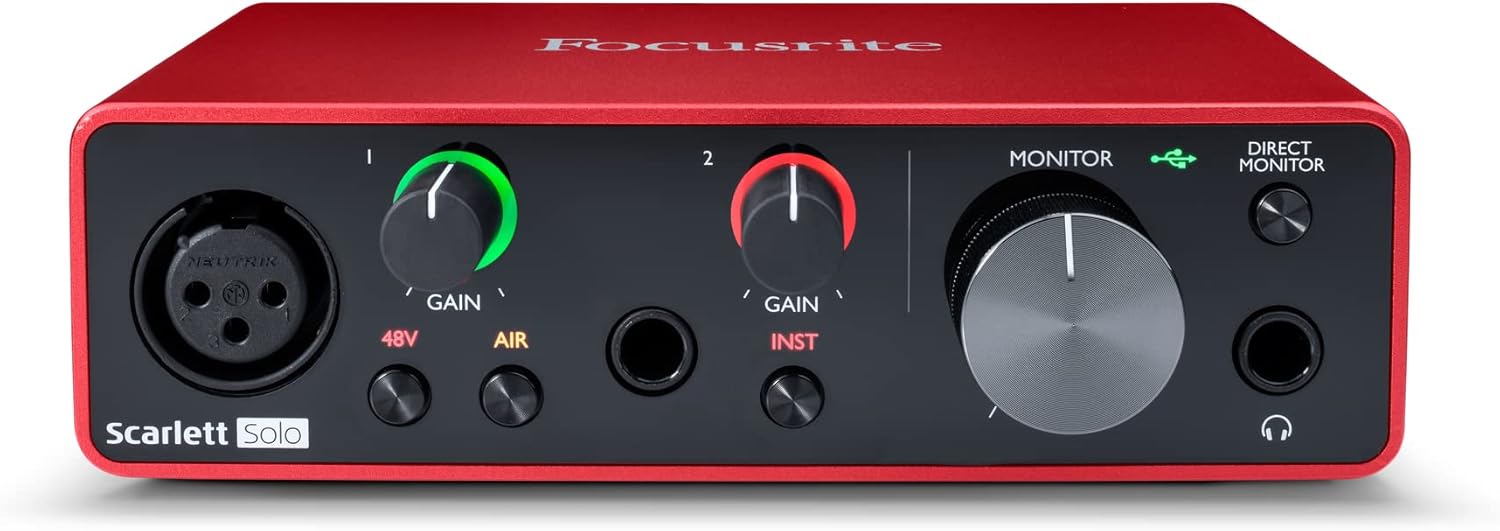
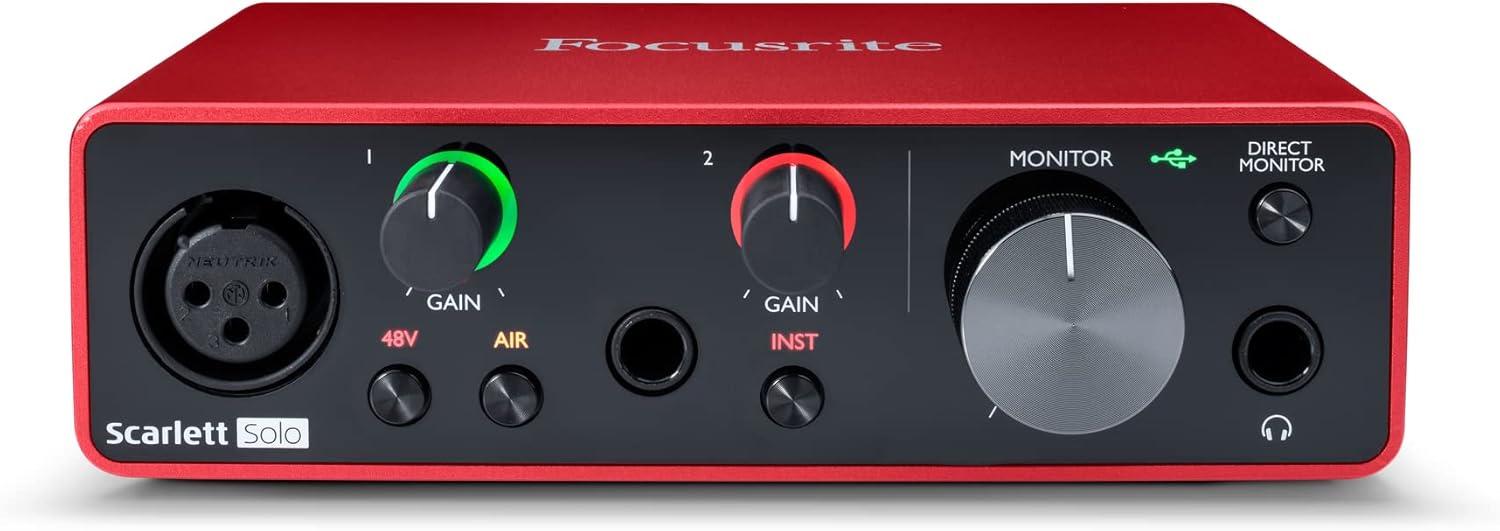



Focusrite Scarlett Solo 3rd Gen USB Audio Interface for Guitarists, Vocalists, Podcasters or Producers to record and playback studio quality sound
$109.99
Price: $109.99
(as of Nov 14, 2025 17:09:03 UTC – Details)
The simplest model in the range, the third-generation Scarlett Solo provides singer-songwriters with a reassuringly easy recording process. Equipped with high performance 24-bit/192kHz AD-DA converters, Scarlett Solo has the same professional sound quality found throughout the third-generation range. Its features include a single upgraded third-generation Scarlett mic preamp with a switchable air setting to reproduce the air effect of Focusrite’s original ISA mic preamp, giving your vocal recordings a brighter and a more open sound. The high impedance, high-headroom instrument input allows you to record guitar or bass without any clipping or unwanted distortion, while gain Halo metering makes it easy for you to set the input level. And Scarlett Solo’s balanced outputs produce no hum when connecting studio monitors with balanced inputs, so you’ll always have pristine audio playback. Scarlett Solo is designed to stand up to days on the road and connects straight to your Mac or PC via USB cable, with no external power required. Your Scarlett Solo bundle comes with the Hitmaker Expansion, an unbeatable range of tried-and-tested studio tools from some of the biggest names in the business. The Hitmaker Expansion includes Antares Auto-Tune Access, Relab LX480 Essentials, Softube Marshall Silver Jubilee 2555, XLN Audio Addictive Keys, XLN Audio Addictive Drums 2, Three Month Splice Sounds Subscription, Brainworx bx_console Focusrite SC, and Focusrite Red Plug-In Suite. Also included are Ableton Live Lite, and Avid Pro Tools Intro+ with their complete plugin bundle; all upon purchase, registration, and download. Interested in what headphones are compatible with Scarlett? Search ‘Headphones’ on the Focusrite help center for more information.
Pro performance with great pre-amps – Achieve a brighter recording thanks to the high performing mic pre-amps of the Scarlett 3rd Gen. A switchable Air mode will add extra clarity to your acoustic instruments when recording with your Solo 3rd Gen
Get the perfect guitar and vocal take with – With two high-headroom instrument inputs to plug in your guitar or bass so that they shine through. Capture your voice and instruments without any unwanted clipping or distortion thanks to our Gain Halos
Studio quality recording for your music & podcasts – Achieve pro sounding recordings with Scarlett 3rd Gen’s high-performance converters enabling you to record and mix at up to 24-bit/192kHz. Your recordings will retain all of their sonic qualities
Low-noise for crystal clear listening – 2 low-noise balanced outputs provide clean audio playback with 3rd Gen. Hear all the nuances of your tracks or music from Spotify, Apple & Amazon Music. Plug-in headphones for private listening in high-fidelity
Everything in the box: Includes Pro Tools Intro+, Ableton Live Lite, six months of FL Studio Producer Edition and Hitmaker Expansion: a suite of effects, software instruments, and easy-to-use mastering tools
With Scarlett 3rd Gen, you have all the tools you need to start recording right, now – We’ve partnered with our favorite industry partners to provide you with plenty of sound content and software so that you can create and record music right away
Enjoy three years of warranty – Wherever you happen to be in the world, you can rely on a three-year warranty if any Focusrite hardware needs repairing or replacing due to a manufacturing fault
Customers say
Customers find the audio interface to be a good budget option that works well with condenser mics and Band Lab software, with amazing sound quality and simple plug-and-play setup. The interface is easy to use, with one customer noting it’s a piece of cake for beginners. While some customers report low ambient noise, others experience static noise during recordings. The audio quality receives mixed feedback, with some customers reporting random output distortion.
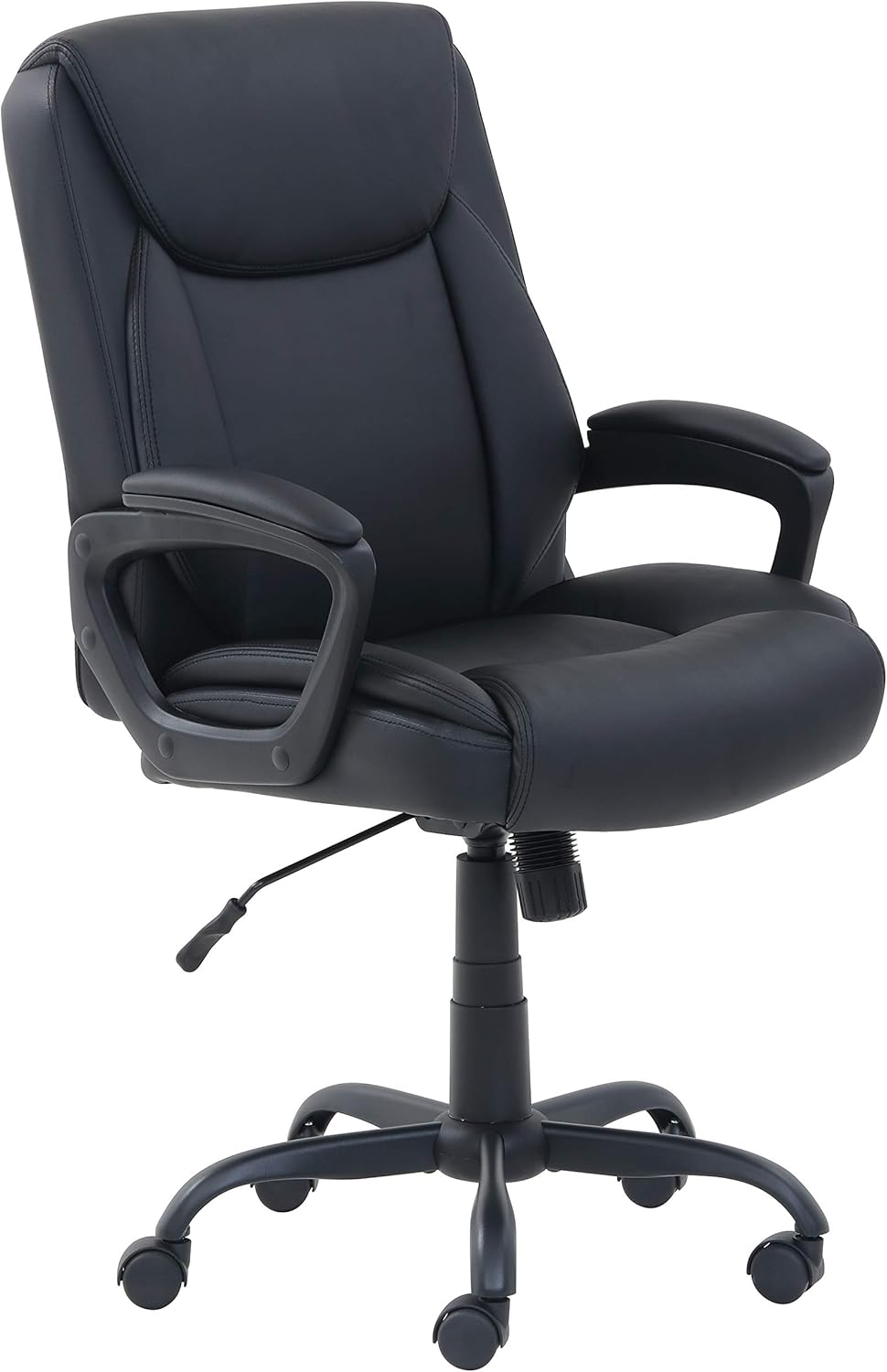





Rev U –
The perfect audio companion for Content Creators
I have two of these now wired into each other so that I can 2 people on individual cameras and mics at the same time, and these work amazingly well. It replaced my Tascam 4×4, which was a good audio interface, but anyone I was recording with had to deal with the lag of our own voices coming through on each other’s headsets. Not so with the Scarlett!Getting to hear the person I’m recording with on my headset as they’re talking rather than even a millisecond later has had a major impact on my recording quality, and the number of times I have to edit out someone going, “What?” The Asio channels means I record every input to its own track and have full editing capabilities of that person’s audio without messing with my own. And something that is worth more than I realized it would be are the virtual audio channels in this device. I can route specific audio channels from my PC to my headphones without requiring them to be outputted to a specific channel, and I can even run inputs into my DAW, use live compressors or other VSTs and output them back to the virtual channels so I can use noise reduction and filters on live audio during streams!And all that hasn’t even gotten into their midi capabilities! The software has a slight learning curve to figure out how to route audio through it, but it’s really intuitive if you take a little time to play with the options. I also just love the design, quality build with red boxes on my desks, and physical volume knobs for my inputs and headsets is terrific.The one warning I have to give, because it threw me off at first, is that only two input channels use XLR. The other two inputs on the back use 1/4″ balanced TRS cables. The Scarlett will still work fine with unbalanced TS cables, but the sound quality between my two Scarletts had noticeably less noise when I upgraded them to TRS cables.Definitely I’m glad I made this upgrade, it was well worth the price, and I recommend the Scarlett to anyone who wants to take a step up in podcast audio or music creation.
Peter Sobczak –
Excellent product but shipped like a brick
Scarlett 2i2 4th Gen USB – I love it. I am using a long line of multiple 2i2 devices from Gen 1, Gen 2, Gen 3 for years. I am happy with all of them. Very good built quality, plain, low noise, low distortion. They all meet manufacturer specifications. No inflated claims like some manufacturers do. Each model had some tiny glitches that did not affect my experience. So my expectations are high on 4th Gen. A box arrived quickly. I opened it and realized a box has no protecting layer to soften shocks, blows during transportation. Just over box inside of almost identical, only slightly larger box! This experience was not a good welcome to me. I believe such packaging of any electronics reduces product reliability. Didn’t you see how sometimes drivers drop packages on concrete floor? So I almost feel like getting used product, am I too sensitive about it? Alone in my opinion such product should have some shock absorbing layer of foam material or air bubbles sheet?After opening a box I see a piece of paper printed with miniature characters. Microscope could help… But no guidance here how to get the first steps. Only warnings in very many languages. As I would need all this, very high priority to manufacturer but not to me! I think this excellent product has new functions that a purchaser is not familiar with. It would be highly beneficial if a a small hard card size like 2-3 business cards shows briefly what happens when each of new controls used. OK, I can find it in pdf user manual, but I don’t want to print user manual for one of 15 models audio interfaces I have. So I will work with audio recordings while scrolling through pdf file, at least till I am familiar with all this product offers. After such observations I wish to get to recording… And pdf file does not tell clearly up front that utility program is actually a driver. I have to spend time to learn it. This is the very first item to perform after purchase, but info is written among other content, not up front. I want to install utility program but no info provided if 2i2 Gen 4 should be connected or not, during installation. I learn here I should go to the internet, manufacturer’ webpage and get information how to proceed. A suggestion is strong – identify yourself first! So you can get audio recording software. But I don’t use the internet on sacred computers. I don’t wish to be exposed to Spyware and threats from Microsoft like this one: You paid for our Office Suite, but we make it stop at our convenience under pretense we check if you are the correct user???? So I will to install a driver only, no suspicious activities and forced “updates”, no spyware on my precious computer. How do I proceed considering above? I loaded needed file on another computer, copied it to one working with 2i2 Gen 4. It works fine that way. The utility is just sampling rate changing program combined with a driver, at least on my computer. Nothing else. A device works well, nothing wrong. I enjoy it from that moment. I don’t need extra programs for musicians.Now most enjoyable part – distortion and noise testing. Both are excellent low, exactly as shown on specifications. I really enjoy low noise that is closer now to that of higher grade Clarett+ noise. Regarding distortion, Clarett+ has specs about 0.0003% while Scarlett 2i2 spec is around 0.001% for all generations 1, 2, 3, 4. Truly excellent product here, amazing performance for $200 and this product is far ahead of other USB audio interfaces I used before. Important to me is the fact it can work with no AC/DC power adapter. Through my career I experienced scenarios that noise reading was lowest if USB audio device was powered through USB cable. Then noise reading was even slightly better if power supply disconnected from laptop. The noise reading was consistently worse if given USB audio interface AND laptop used both AC/DC adapters. The difference could be a few dB but sometimes noise spikes were 10dB and more above noise floor, depending how clean was power line, individual wall outlets. I will check later 2i2 Gen 4 on that noise immunity and will update my review.In terms of reliability, all earlier Scarlett 2i2 I used full time worked a minimum of 5 years. If something wrong happened, it would be in the “abuse” category like frequent plugging, unplugging in, out cables with ESD damage maybe. Or connecting to multiple other devices powered with AC/DC adapters and no isolating transformers between. I am a laboratory user, not a musician, so different considerations, scenarios. Scarlett 2i2 Gen 4 is a great tool now for my audio experiments, audio test fixtures, audio signal measuring / analyzing setups.5 stars, but no 5+ due to less perfect packaging with less perfect protection against abuse in transit.
Stanley Pleasant –
LOVE LOVE LOVE IT
This item is everything it says it is!!!!! I have already started making PROFESSIONAL SOUNDING MUSIC using this HUB and its now my favorite thing to use while making music……im going to upgrade in the future and get the APOLLO TWIN X but for now THIS IS PLENTY PROFESSIONAL POWER AND SOUND FOR THE MONEY!!!! my favorite feature so far is the AIR FEATURE which brings your voice more to the front and makes you sound really professional. I also love the fact that it it has HALO LIGHTS cause thats the only way I know how to MEASURE SOUND. Don’t get me started on the volume. THIS HUB CAN GET SERIOUSLY LOUD so ensure that you are listening or mixing at a SAFE LEVEL FOR YOUR EARS. Last but not least the BUILD. I love the quality of it the way it feels when you take it out the box. To me it feels KINDA PREMIUM the only issue I didnt like is that the box comes with a USB A TO TYPE C cord. I think they should of given us a TYPE C TO TYPE C but thats a small gripe. Other then that if you invest in this HUB your going to love it. Just so you know this HUB also comes with PRO TOOLS AND FL STUDIO PRE INSTALLED all you have to do is finish setting up whichever of those DAW’S YOU WANT TO USE and it can also run ALBLETON. so with all that being said. ENJOY YOUR NEW ITEM.
C –
Love this thing
Focusrite usually makes some pretty good gear and this is no exception. Connects easily, sound quality is top notch. I’ve used it many times and have had no problems with dropouts or noise. Probably not for a professional studio, but for podcasts, home studios, stage applications, it’s great.
Ayush S. –
Just awesome
ALEXANDRE CALDO –
muito bom, ótima qualidade do som
Villodre –
Hay esfuerzos encomiables en las tarjetas de sonido e interfaces USB, pero en cuanto te pones un poco en serio no hay otro modelo al que acudir: durante tres generaciones las interfaces Scarlett de Focusrite son recomendaciones de referencia para músicos en un estudio casero o hacer un podcast serio. Este modelo 2i2 cuenta, como su nombre indica, con 2 entradas XLR y soporta alimentación Phantom P48 de 48 V. Normalmente los micrófonos de calidad como el Rode Procaster (enlace) funcionan sin averiarse si conectas la alimentación, pero en lo posible mejor quítala si no la vas a usar.La preamplificación de esta interfaz es legendaria, como lo es la confianza que ofrece: es uno de esos productos que, sencillamente, hacen lo que dicen y no dan problemas. Que se conecte con un solo USB y su reducido tamaño la hacen ideal para meter interfaz y cables en una mochila e ir a grabar a cualquier sitio, además de la extrema sencillez de uso del panel de control de Focusrite y el valor añadido del software que obtienes con la compra.Para los que ya conozcan las Scarlett, en esta 3ª generación Focusrite ha ampliado las ya excelentes cualidades técnicas de la interfaz, pero la mayor novedad reside en que ahora se conecta con un puerto USB tipo C, más opciones de configuración de E/S y un “Air Mode” que potencia las pistas de voz emulando la amplificación de un amplificador analógico. Además, las ruedas de ajuste de ganancia se iluminan con un código semáforo: verde cuando la ganancia está bien configurada, ámbar cuando nos estamos pasando y roja si la estamos saturando.Todas estas características más la sencillez de uso la hacen ideal para auténticos principiantes pero con la posibilidad de obtener un resultado profesional con poco tiempo de aprendizaje. Instalar la interfaz es trivialmente sencillo: la conectas por primera vez y ya arranca la instalación, que te guía para registrar el número de serie en la web de Focusrite y obtener el software añadido. Este software permite hacer de todo y tiene la ventaja de que te ayuda a familiarizarte con herramientas que son estándar de la industria incluyendo una versión personalizada de Avid ProTools First. Si ves que estás un poco perdido con tu nueva interfaz, échale un vistazo a los vídeos de la guía rápida, que explican todo muy detalladamente con guías paso a paso que imprimir – eso sí, en inglés.Sin ninguna duda, la 3ª generación de interfaces Scarlett es la mejor que haya producido Focusrite y, a su vez, son posiblemente las mejores interfaces que pueda comprar un usuario doméstico que se ponga en serio. Tal vez si ya tienes una el cambio no merezca la pena salvo para pasar a un modelo con más E/S pero es un producto intachable, con cambios que mejoran la vida al usuario y que no estropean ninguna de las características a las que deben su éxito. Recomendadísimo.
Chu Ming Tak –
Came all the way from Germany to Asia, and delivery is fast as well!Plug and play type of audio interface that is very well worth it’s cost for starters, and also can be connected to a Desktop or Laptop to interface with things you know you need to. A definite good buy.
Grzegorz Wu –
Świetny dźwięk gitary:) zerowa latencja. Jestem mega zadowolony. Na początku miałem przygodę ze stutteringiem. Wymiana kabla z oryginalnego na porządny USB-C do USB-C rozwiązała ten problem.